
Mission Control
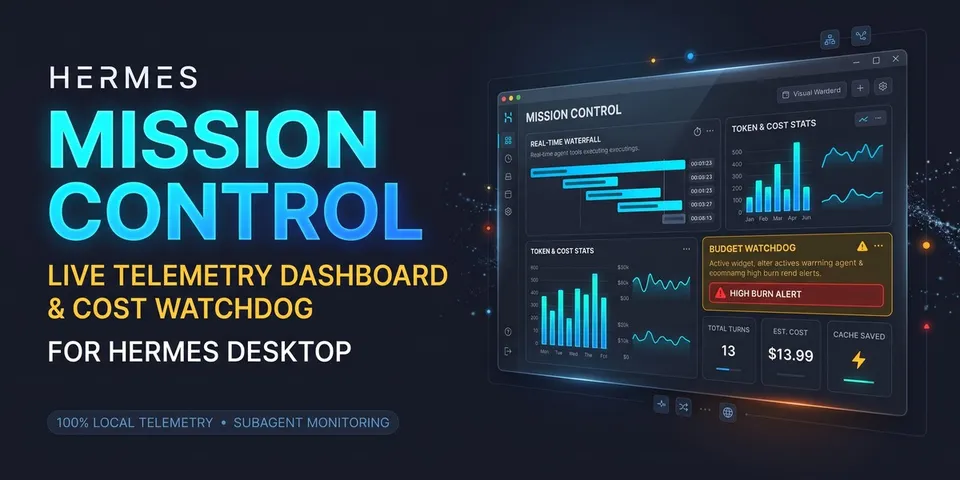
From its catalog listing
Live mission-control dashboard for Hermes Desktop — tool waterfall, parallel subagent cards, token and estimated-cost meters with a prompt-cache badge, plus budget and possible-loop alerts, streamed in real time. Read-only; nothing leaves the machine.
How to install
- Install it. Hermes asks for any API keys it needs, then asks whether to turn it on.
hermes plugins install mission-control - Said no? Turn it on later:
hermes plugins enable mission-control - Restart Hermes so it loads the plugin.
Some plugins also need a sign-in or settings: see Full setup & settings. Memory plugins ask whether to become your memory provider instead. Steps follow the official plugins guide (opens in a new tab).
- Category
- Automation & multi-agent · Hermes Desktop add-ons
- Maintained by
- rohitdanda (Community)
- Needs
- No API keys declared
- Adds hooks
pre_tool_callpost_tool_callpost_api_requestapi_request_errorsubagent_startsubagent_stoppre_approval_requestpost_approval_response- Needs Hermes
- 0.21.6 or newer
- Version
- 1.0.0
- In the catalog
- 2026-11-11
Using the Hermes desktop app? See where plugins live

Full setup & settings ↗Source code ↗
More in automation & multi-agent
All automation & multi-agent plugins
New Hermes Agent updates every day on X. Follow @HermesWatcher