
Webmint
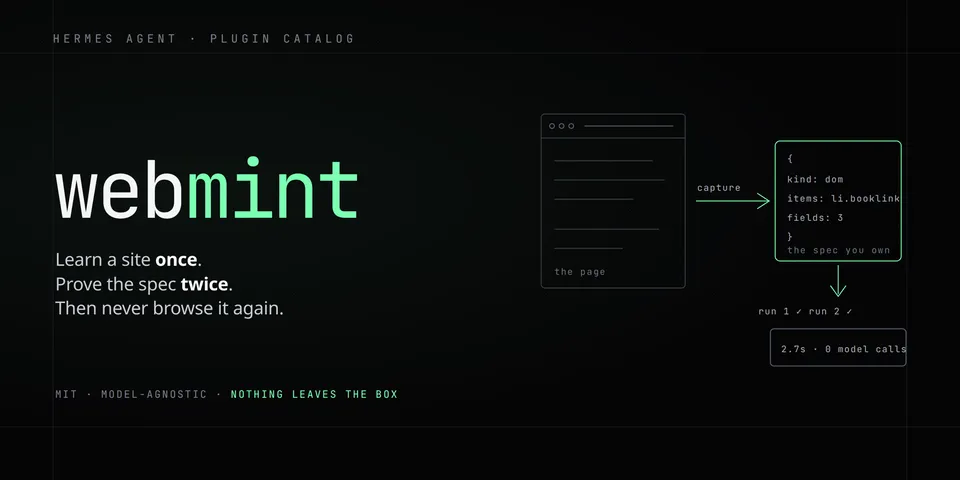
From its catalog listing
Turn a website into a deterministic tool: a real browser captures the page once, the host's own model writes a declarative extraction spec, two runs must agree (same field set, >=50% fill per field) before it is saved, and every later call runs that spec with no model in the loop (~2.7s). Five tools: setup, mint, run, list, remove.
Good to know before installing
needs Node >= 18 and Playwright; on first mint the plugin installs Playwright and Chromium into its own directory (~120 MB, opt out with WEBMINT_NO_AUTO_SETUP=1). Capture runs in a fresh signed-out browser: actions may fill, click and submit forms, and http specs replay the captured GET or POST (Cookie and Authorization headers are never replayed). Public http(s) URLs only — file:, loopback/private and link-local/metadata addresses are refused, with private/loopback behind WEBMINT_ALLOW_PRIVATE_URLS=1 or the host's security.allow_private_urls. Headless Chromium is refused by some bot-protected sites.
From its catalog listing.
How to install
- Install it. Hermes asks for any API keys it needs, then asks whether to turn it on.
hermes plugins install webmint - Said no? Turn it on later:
hermes plugins enable webmint - Restart Hermes so it loads the plugin.
Some plugins also need a sign-in or settings: see Full setup & settings. Memory plugins ask whether to become your memory provider instead. Steps follow the official plugins guide (opens in a new tab).
- Category
- Web, research & browsing
- Maintained by
- DECRUX9812 (Community)
- Needs
- No API keys declared
- Adds tools
webmint_setupwebmint_mintwebmint_runwebmint_listwebmint_remove- Works on
- linux, macos
- Needs Hermes
- 0.22 or newer
- Version
- 0.1.4
- In the catalog
- 2026-11-02
- GitHub stars
- 1
Using the Hermes desktop app? See where plugins live

Full setup & settings ↗Source code ↗
More in web, research & browsing
All web, research & browsing plugins
New Hermes Agent updates every day on X. Follow @HermesWatcher