
Study Tree
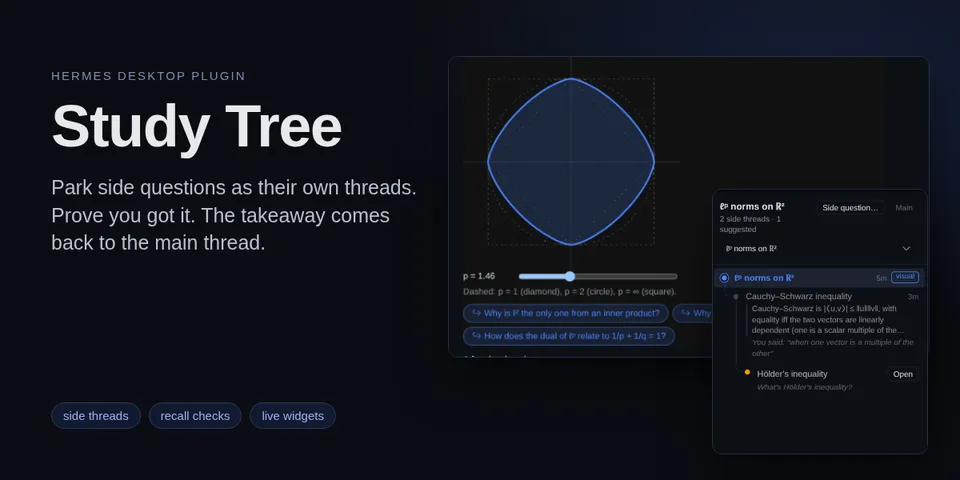
From its catalog listing
Study with the agent without losing the thread: a side question you ask becomes its own branched session, the side threads show as a tree in a Desktop pane, and each one hands one recall-checked takeaway back to the thread it came from. The agent can also draw interactive widgets and one-question quizzes inline, with follow-up buttons.
Good to know before installing
stores its tree in SQLite and agent-written HTML widgets under the active profile's plugin-data/study-tree/ (a widget over 200 KB or with any network reference is refused; Desktop shows it in its sandboxed preview frame); opens Hermes' state.db read-only to follow compression lineage; adds a short section to every session's system prompt, and through pre_llm_call injects a side-thread frame on each side-thread turn and each takeaway once into the parent's next turn; through transform_llm_output rewrites the final reply (study cards moved to the end as their own paragraphs, cards with unknown ids dropped, widget directives put on their own paragraphs, a widget button's prompt quoted at the top); creates a branched session (session.branch or session.branch_stored), renames it with session.title and sends the side question as its first prompt only when the user clicks Open; the Desktop half keeps the last text selected in the window in memory for 60 seconds to prefill the side-question dialog, and writes the glossary to the clipboard only when the user clicks Export glossary. No network calls, no shell commands, no background processes, no stored credentials, no telemetry.
From its catalog listing.
How to install
- Install it. Hermes asks for any API keys it needs, then asks whether to turn it on.
hermes plugins install study-tree - Said no? Turn it on later:
hermes plugins enable study-tree - Restart Hermes so it loads the plugin.
Some plugins also need a sign-in or settings: see Full setup & settings. Memory plugins ask whether to become your memory provider instead. Steps follow the official plugins guide (opens in a new tab).
- Category
- Everyday life & fun · Hermes Desktop add-ons
- Maintained by
- IpastorSan (Community)
- Needs
- No API keys declared
- Adds tools
study_branchstudy_treestudy_resolvestudy_visual- Adds hooks
pre_llm_calltransform_llm_output- Needs Hermes
- 0.22.7 or newer
- Version
- 0.1.1
- In the catalog
- 2026-11-09
Known issues (from its catalog listing)
- The cards, the pane and the widgets need Hermes Desktop. On the CLI, the TUI and messaging platforms a card shows as a plain ::study-tree-node line and a widget as a plain ::preview line.
- The Desktop half is off by default: turn on Study Tree under Capabilities → Plugins after installing.
- Widgets in the pane are view-only; their follow-up buttons work in the chat.
Using the Hermes desktop app? See where plugins live

Full setup & settings ↗Source code ↗
More in everyday life & fun
All everyday life & fun plugins
New Hermes Agent updates every day on X. Follow @HermesWatcher