
Second Hands
From its catalog listing
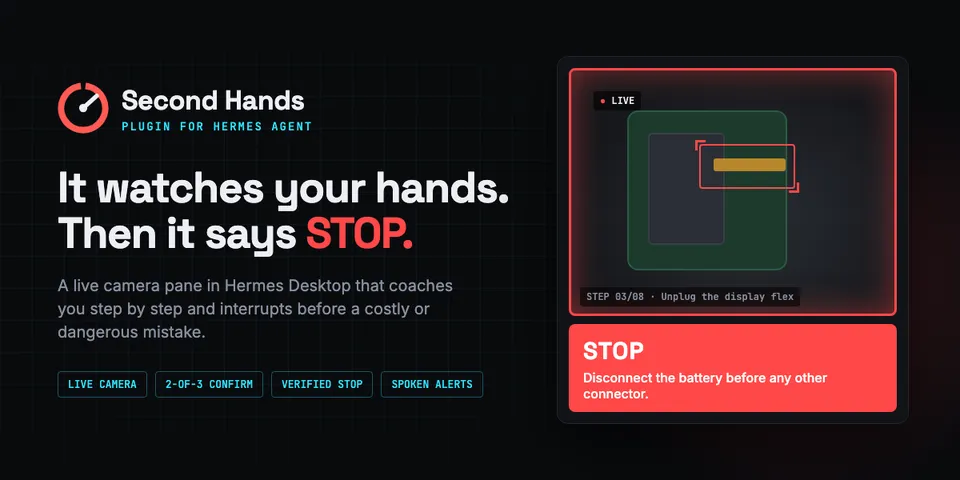
Hands-on task coach: a live camera pane in Hermes Desktop watches your hands step by step and says STOP (on screen, out loud, in chat) before a costly or dangerous mistake. Mistakes must repeat across frames and high-risk STOPs are double-checked by a second model. Demo mode needs no camera or model calls.
Good to know before installing
camera frames (downscaled JPEGs, ~every 2 s while a session is live) and step text go to the user's configured model provider through ctx.llm on the plugin's own auxiliary slots; optional web research uses Hermes's own web_search/web_extract tools; one background thread per live session (stops on finish or after 30 idle minutes); files only under plugin-data/second-hands; no network calls of its own, no shell, no credentials, no telemetry, no self-update.
From its catalog listing.
How to install
- Install it. Hermes asks for any API keys it needs, then asks whether to turn it on.
hermes plugins install second-hands - Said no? Turn it on later:
hermes plugins enable second-hands - Restart Hermes so it loads the plugin.
Some plugins also need a sign-in or settings: see Full setup & settings. Memory plugins ask whether to become your memory provider instead. Steps follow the official plugins guide (opens in a new tab).
- Category
- Everyday life & fun · Hermes Desktop add-ons
- Maintained by
- zaxcoraider (Community)
- Needs
- No API keys declared
- Adds tools
second_hands_startsecond_hands_statussecond_hands_finish- Adds hooks
pre_llm_call- Needs Hermes
- 0.23.0 or newer
- Version
- 0.1.0
- In the catalog
- 2026-11-10
Using the Hermes desktop app? See where plugins live

Full setup & settings ↗Source code ↗
More in everyday life & fun
All everyday life & fun plugins
New Hermes Agent updates every day on X. Follow @HermesWatcher