
PokeIt
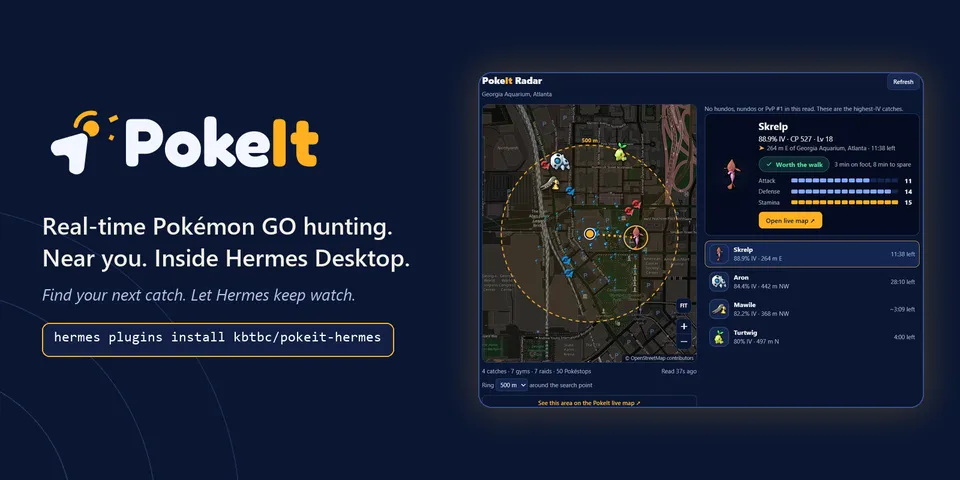
From its catalog listing
Real-time Pokémon GO hunting inside Hermes, with a live Radar, nearby catches and raids, approved scans, and desktop alerts.
Good to know before installing
hosted-only connector to the author's PokeIt service: each tool call sends coordinates, place text and filters to https://mcp.pokeit.cc (tool list served at runtime, not covered by the pin; request_scan starts a scan and goes through Hermes approval; the service keeps tool names, filters, timings and result counts about 14 days and scan coordinates 24 hours); on Desktop a gateway-side read proxy calls the same server's read tools and fetches species icons from https://pokeit.cc, the embedded map loads tiles from https://tile.openstreetmap.org (revealing the viewed area and IP), the last spot, radius and filter are saved locally per profile, and a user-started watch polls about once a minute for up to two hours while Hermes runs; no credentials, shell commands or self-update.
From its catalog listing.
How to install
- Install it. Hermes asks for any API keys it needs, then asks whether to turn it on.
hermes plugins install pokeit - Said no? Turn it on later:
hermes plugins enable pokeit - Restart Hermes so it loads the plugin.
Some plugins also need a sign-in or settings: see Full setup & settings. Memory plugins ask whether to become your memory provider instead. Steps follow the official plugins guide (opens in a new tab).
- Category
- Security & privacy · Hermes Desktop add-ons
- Maintained by
- kbtbc (Community)
- Needs
- No API keys declared
- Needs Hermes
- 0.23.0 or newer
- Version
- 0.1.25
- In the catalog
- 2026-11-11
Known issues (from its catalog listing)
- Results come from PokeIt's own scanning network. They are not exhaustive and an observation can expire before you arrive.
- The server runs separately from this repository and can change after you install; its tool list is served at runtime.
- The Radar and desktop alerts need Hermes Desktop 0.23.0 or newer with the plugin enabled on the profile you chat in. CLI and messaging clients get the tools and the skill only.
- After installing or updating, restart the Hermes gateway that serves your chat and open a new chat so the PokeIt tools load.
- Desktop alerts need an area with ongoing scan coverage (https://pokeit.cc/coverage).
Using the Hermes desktop app? See where plugins live

Full setup & settings ↗Source code ↗
More in security & privacy
All security & privacy plugins
New Hermes Agent updates every day on X. Follow @HermesWatcher