
Penguin
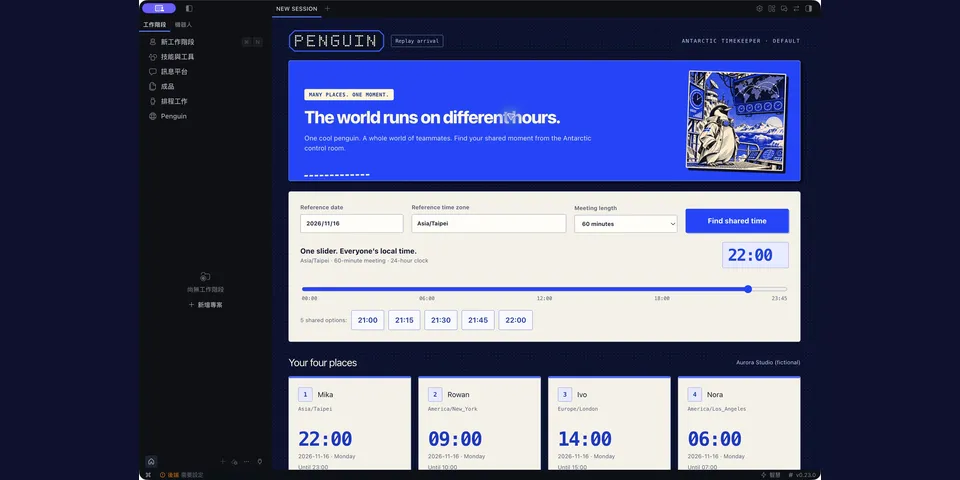
From its catalog listing
A penguin in Antarctica keeping an eye on everyone's time: deterministic IANA conversions, whole-meeting overlap windows, profile-local teams, and an optional Desktop planner with side-by-side clocks, Commander dispatch and proposal-only completion. Reads bundled artwork, non-executable IANA 2026f data and its own plugin state. Optional user-started AI-generated music and a halftone sky use bundled audio and offline analysis; no microphone access. No external runtime requests, shell commands, credentials, telemetry or calendar writes.
How to install
- Install it. Hermes asks for any API keys it needs, then asks whether to turn it on.
hermes plugins install penguin - Said no? Turn it on later:
hermes plugins enable penguin - Restart Hermes so it loads the plugin.
Some plugins also need a sign-in or settings: see Full setup & settings. Memory plugins ask whether to become your memory provider instead. Steps follow the official plugins guide (opens in a new tab).
- Category
- Automation & multi-agent · Work & business
- Maintained by
- Crystal32378 (Community)
- Needs
- No API keys declared
- Adds tools
penguin_convertpenguin_overlappenguin_save_teampenguin_get_team- Needs Hermes
- 0.23.0 or newer
- Version
- 0.2.2
- In the catalog
- 2026-11-07
Using the Hermes desktop app? See where plugins live

Full setup & settings ↗Source code ↗
More in automation & multi-agent
All automation & multi-agent plugins
New Hermes Agent updates every day on X. Follow @HermesWatcher