
oMLX
From its catalog listing
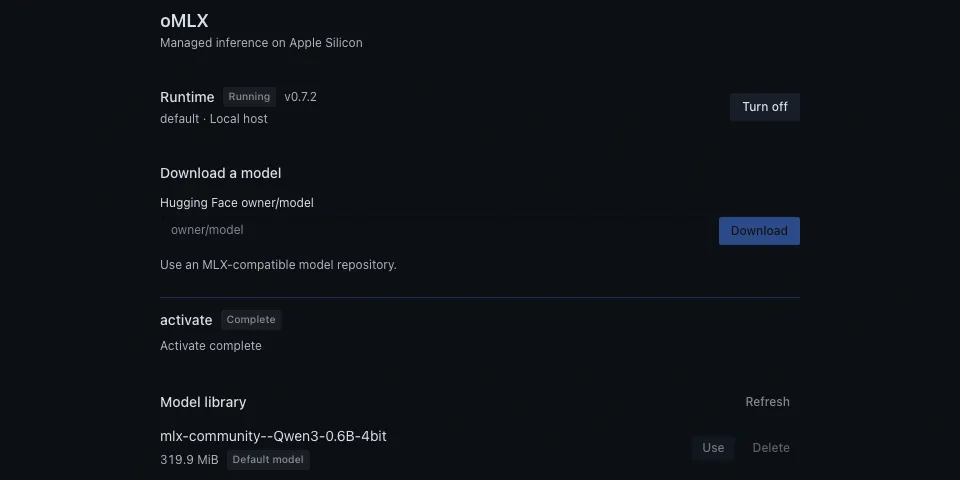
Managed oMLX runtime and MLX model library for Hermes Desktop on Apple Silicon.
Good to know before installing
on explicit setup downloads the oMLX 0.7.2 macOS app (SHA-256-pinned) from the official jundot/omlx GitHub release and runs it as a long-running loopback server (127.0.0.1, bearer key) under HERMES_HOME/plugin-data/omlx; downloads public Hugging Face model snapshots the user names; generates a local API key stored as HERMES_OMLX_LOCAL_API_KEY in the profile's .env; "Use" rewrites the profile's default model in config.yaml.
From its catalog listing.
How to install
- Install it. Hermes asks for any API keys it needs, then asks whether to turn it on.
hermes plugins install omlx - Said no? Turn it on later:
hermes plugins enable omlx - Restart Hermes so it loads the plugin.
Some plugins also need a sign-in or settings: see Full setup & settings. Memory plugins ask whether to become your memory provider instead. Steps follow the official plugins guide (opens in a new tab).
- Category
- Coding & developer tools · AI models & providers
- Maintained by
- vitaliy-blprnt (Community)
- Needs
- No API keys declared
- Works on
- macos
- Needs Hermes
- 0.23.0 or newer
- Version
- 0.1.0
- In the catalog
- 2026-11-07
Known issues (from its catalog listing)
- Requires macOS 15 or newer and Apple Silicon on the inference host.
- The model-provider client requires in-process plugin execution.
Using the Hermes desktop app? See where plugins live

Full setup & settings ↗Source code ↗
More in coding & developer tools
All coding & developer tools plugins
New Hermes Agent updates every day on X. Follow @HermesWatcher