
Mascot Widget
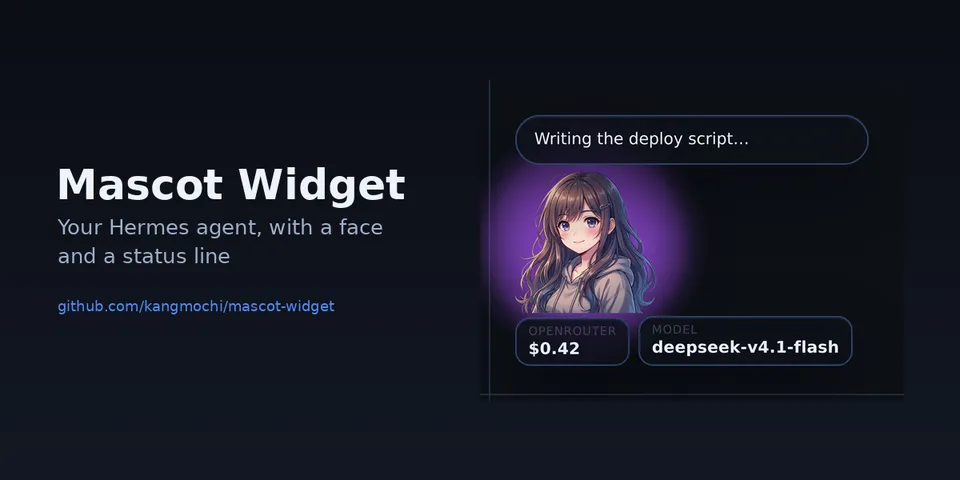
From its catalog listing
A mascot that floats in the corner of Hermes Desktop: it says what the agent is doing, shows tokens, context and session cost, and opens a status panel with copy, compress and stop. Colours, aura glow, size and the position of the bubble, cards and panel are adjustable, with Simple and Advanced settings tabs and three layout presets. Desktop-only (desktop/plugin.js inside the plugin SDK surface); no agent tools, hooks, middleware or env vars.
How to install
- Install it. Hermes asks for any API keys it needs, then asks whether to turn it on.
hermes plugins install mascot-guide - Said no? Turn it on later:
hermes plugins enable mascot-guide - Restart Hermes so it loads the plugin.
Some plugins also need a sign-in or settings: see Full setup & settings. Memory plugins ask whether to become your memory provider instead. Steps follow the official plugins guide (opens in a new tab).
- Category
- Cost, speed & monitoring · Hermes Desktop add-ons
- Maintained by
- kangmochi (Community)
- Needs
- No API keys declared
- Needs Hermes
- 0.22.0 or newer
- Version
- 1.0.0
- In the catalog
- 2026-11-10
Using the Hermes desktop app? See where plugins live

Full setup & settings ↗Source code ↗
More in cost, speed & monitoring
All cost, speed & monitoring plugins
New Hermes Agent updates every day on X. Follow @HermesWatcher