
Hermes Sysadmin · Active Directory
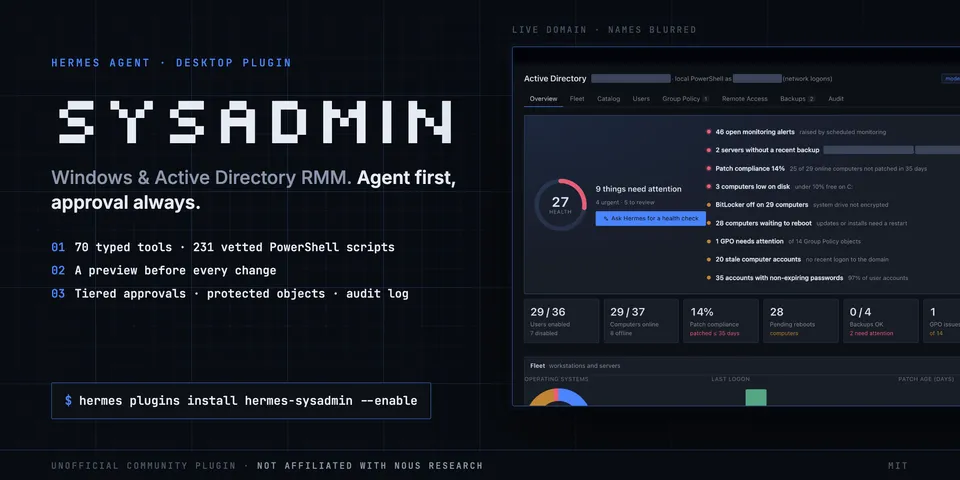
From its catalog listing
Windows and Active Directory RMM for Hermes Agent and Hermes Desktop: users, groups and lockouts, Group Policy, RDP, Windows Server Backup, a desktop fleet and 231 vetted PowerShell scripts, all behind tiered approvals with a preview before every change, protected objects and a local audit log.
Good to know before installing
runs PowerShell on the Hermes machine (local transport on a domain-joined Windows host, optionally as a configured account via runas /netonly) or over WinRM to one configured jump host, and from there talks to your domain controllers and the computers you target (AD, SMB, RPC, WinRM). Reads the account password only through Hermes secret scope. While the dashboard is open a background collector in the gateway refreshes read-only snapshots (setting background_collector turns it off); scheduled monitoring adds a Hermes cron job (and two launcher scripts in the Hermes scripts folder) only when you turn it on, and a cron run cannot create or remove it unless cron.allow_agent_scheduling is true. In permissive mode standard writes run without an approval prompt. Writes a local SQLite audit log with passwords redacted. Never reads .env or any other credential store; the opt-in monitoring cron script gets the password only if the user lists SYSADMIN_WINRM_PASSWORD in terminal.env_passthrough. No telemetry and no other network calls; the raw PowerShell tool is off by default.
From its catalog listing.
How to install
- Install it. Hermes asks for any API keys it needs, then asks whether to turn it on.
hermes plugins install hermes-sysadmin - Said no? Turn it on later:
hermes plugins enable hermes-sysadmin - Restart Hermes so it loads the plugin.
Some plugins also need a sign-in or settings: see Full setup & settings. Memory plugins ask whether to become your memory provider instead. Steps follow the official plugins guide (opens in a new tab).
- Category
- Security & privacy · Hermes Desktop add-ons
- Maintained by
- kdegeek (Community)
- Needs
- No API keys declared
- Adds tools
ad_connection_testad_dc_healthad_dc_listad_domain_overviewad_group_add_memberad_group_getad_group_listad_group_remove_memberad_lockout_sourcead_powershellad_recycle_bin_listad_recycle_bin_restoread_searchad_user_createad_user_deletead_user_disablead_user_enablead_user_getad_user_listad_user_movead_user_reset_passwordad_user_unlockad_user_updatebackup_cancelbackup_jobsbackup_set_policybackup_startbackup_statusbackup_versionscatalog_getcatalog_module_installcatalog_module_statuscatalog_runcatalog_searchfleet_devicefleet_historyfleet_inventorygpo_backupgpo_backupsgpo_creategpo_deletegpo_getgpo_healthgpo_linkgpo_listgpo_reportgpo_restoregpo_rsopgpo_set_linkgpo_set_security_filtergpo_set_statusgpo_unlinkgpo_update_hostsmonitoring_disablemonitoring_enablemonitoring_statusrdp_connect_filerdp_host_statusrdp_session_disconnectrdp_session_logoffrdp_session_messagerdp_sessionsrdp_set_enabledrdp_set_nlardp_users_addrdp_users_removeremote_access_checkremote_assist_commandremote_sessionsremote_shadow_commandsysadmin_audit_log- Adds hooks
pre_tool_callpost_tool_call- Needs Hermes
- 0.22.6 or newer
- Version
- 0.2.2
- In the catalog
- 2026-11-10
Using the Hermes desktop app? See where plugins live

Full setup & settings ↗Source code ↗
More in security & privacy
All security & privacy plugins
New Hermes Agent updates every day on X. Follow @HermesWatcher