
Plexus
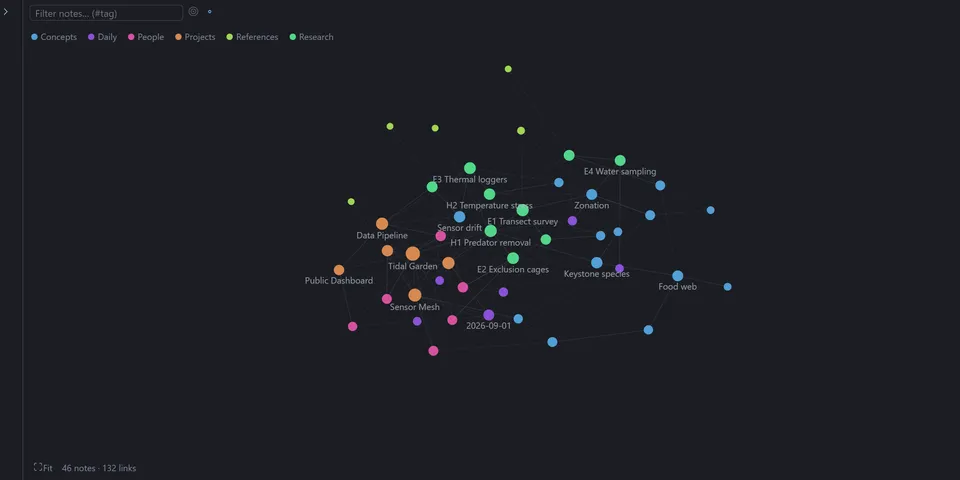
From its catalog listing
Your local markdown vault as a note graph, file tree and tabbed editor in one Hermes Desktop workspace tab, with Obsidian-style wikilinks, nested folder regions in the graph, link rewriting on rename, image and note embeds, and a ::vault chat link.
Good to know before installing
reads and writes markdown files (and images for previews) only inside the one folder you grant, through Hermes Desktop's folder-scoped file API (ctx.files); deletes go to the OS trash. No network calls unless you turn on loading of images that notes link from the web (off by default; the image's host then sees your IP address). No shell commands, background processes, telemetry, agent tools or stored credentials.
From its catalog listing.
How to install
- Install it. Hermes asks for any API keys it needs, then asks whether to turn it on.
hermes plugins install hermes-plexus - Said no? Turn it on later:
hermes plugins enable hermes-plexus - Restart Hermes so it loads the plugin.
Some plugins also need a sign-in or settings: see Full setup & settings. Memory plugins ask whether to become your memory provider instead. Steps follow the official plugins guide (opens in a new tab).
- Category
- Hermes Desktop add-ons
- Maintained by
- mr-september (Community)
- Needs
- No API keys declared
- Needs Hermes
- 0.22.6 or newer
- Version
- 0.4.1
- In the catalog
- 2026-11-02, updated 2026-11-05
Known issues (from its catalog listing)
- Desktop only: it needs host.openWorkspace and the folder-scoped file API (ctx.files).
- No live file watching; the vault rescans when the window regains focus and after saves.
- Notes larger than 4 MiB (the ctx.files read limit) cannot be opened.
Using the Hermes desktop app? See where plugins live

Full setup & settings ↗Source code ↗
More in hermes desktop add-ons
All hermes desktop add-ons plugins
New Hermes Agent updates every day on X. Follow @HermesWatcher