
Hermes Consult
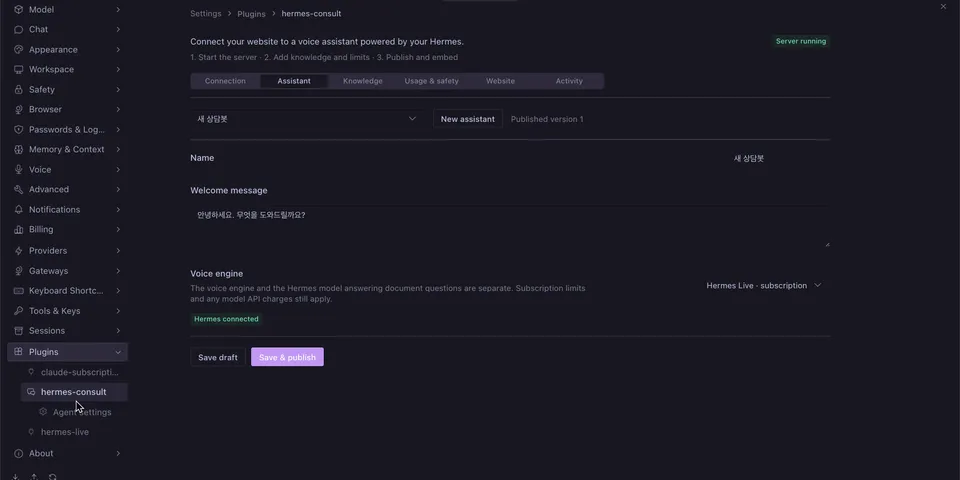
From its catalog listing
Website voice consultations with an embedded server and bilingual Desktop settings.
Good to know before installing
starts a local Node consultation server on 127.0.0.1 that you publish through your own HTTPS reverse proxy, so website visitors can send questions that are answered by your active Hermes model (one tool-less ctx.llm call per question, using your provider credits); stores business data, inquiries and usage in <HERMES_HOME>/consult/; voice sends audio to OpenAI, and the optional subscription voice lane launches your installed Codex CLI (its own login) or the Hermes Live module from the same profile; optional Turnstile contacts Cloudflare.
From its catalog listing.
How to install
- Install it. Hermes asks for any API keys it needs, then asks whether to turn it on.
hermes plugins install hermes-consult - Said no? Turn it on later:
hermes plugins enable hermes-consult - Restart Hermes so it loads the plugin.
Some plugins also need a sign-in or settings: see Full setup & settings. Memory plugins ask whether to become your memory provider instead. Steps follow the official plugins guide (opens in a new tab).
- Category
- Hermes Desktop add-ons · Chat apps & voice
- Maintained by
- dandacompany (Community)
- Needs
- No API keys declared
- Works on
- macos, linux
- Needs Hermes
- 0.22.5 or newer
- Version
- 0.2.3
- In the catalog
- 2026-11-07
Known issues (from its catalog listing)
- Requires Node.js 24 or later and a separately provisioned public HTTPS origin.
- Subscription voice requires Hermes Live 0.9.1+ (consultation API; the catalog currently lists 0.9.0) and the user's installed Codex CLI login.
- Funded OpenAI API voice E2E and production HTTPS/load verification remain outstanding.
Using the Hermes desktop app? See where plugins live

Full setup & settings ↗Source code ↗
More in hermes desktop add-ons
All hermes desktop add-ons plugins
New Hermes Agent updates every day on X. Follow @HermesWatcher