
Clean Exit
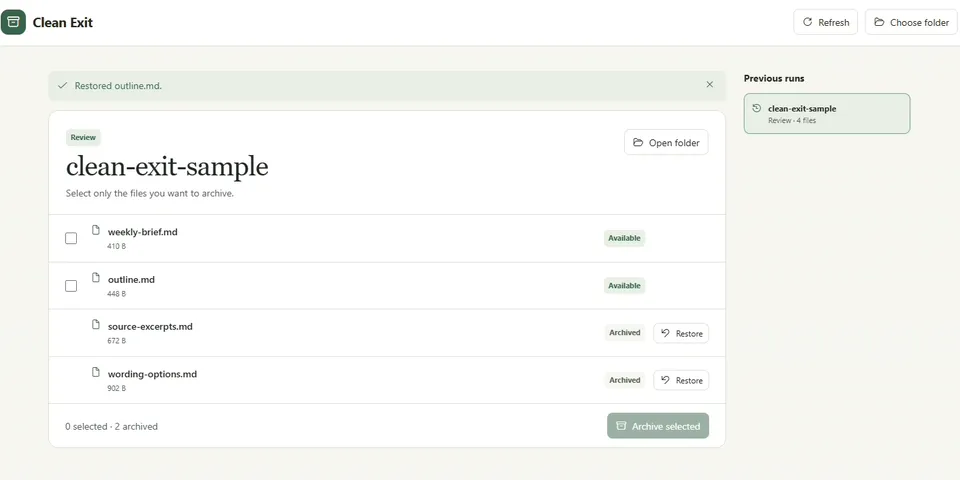
From its catalog listing
Review the new files one Hermes run wrote to a local project folder. Keep the deliverable, move selected working files into a project archive, and restore any archived file to its original path from the same workspace. Clean Exit observes successful native write_file calls after the user starts tracking and stores paths, sizes, file identities, and hashes in a local profile ledger.
How to install
- Install it. Hermes asks for any API keys it needs, then asks whether to turn it on.
hermes plugins install clean-exit - Said no? Turn it on later:
hermes plugins enable clean-exit - Restart Hermes so it loads the plugin.
Some plugins also need a sign-in or settings: see Full setup & settings. Memory plugins ask whether to become your memory provider instead. Steps follow the official plugins guide (opens in a new tab).
- Category
- Cost, speed & monitoring · Hermes Desktop add-ons
- Maintained by
- ladyFaye1998 (Community)
- Needs
- No API keys declared
- Adds hooks
pre_tool_callpost_tool_call- Works on
- windows
- Needs Hermes
- 0.23.1 or newer
- Version
- 0.1.0
- In the catalog
- 2026-11-11
Known issues (from its catalog listing)
- Requires Hermes Desktop with a local Windows profile.
- Tracks new files written through native write_file with absolute paths. Shell-created files are outside this scope.
- Archives selected files individually. Review the resulting file list if a batch is interrupted.
Using the Hermes desktop app? See where plugins live

Full setup & settings ↗Source code ↗
More in cost, speed & monitoring
All cost, speed & monitoring plugins
New Hermes Agent updates every day on X. Follow @HermesWatcher