
Accessible Session List
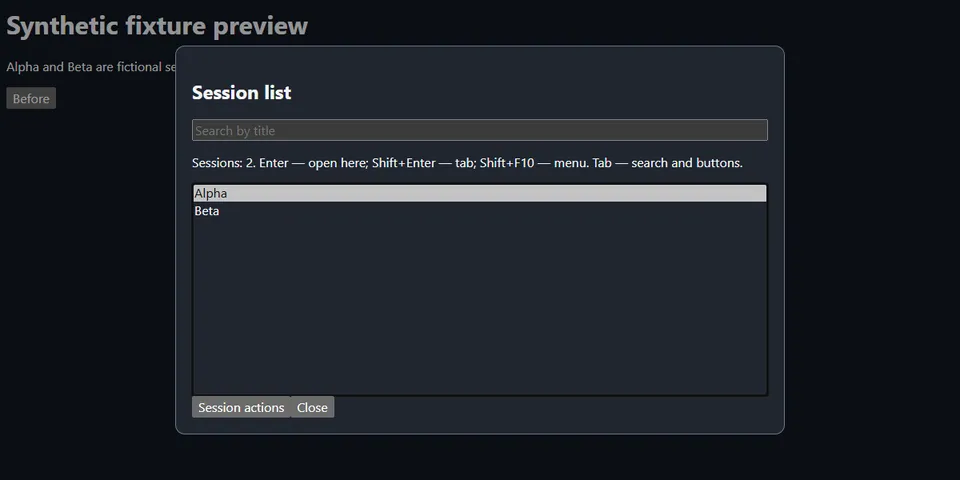
From its catalog listing
Keyboard-first, screen-reader-friendly native session picker for Hermes Desktop. Search titles, select with arrows without navigating, open with Enter or Shift+Enter, and use a keyboard-accessible actions menu. Filters background runs and empty drafts; sorts the fetched sessions by activity. English and Russian UI.
Good to know before installing
reads up to 500 persisted session summaries from the active profile through the public Desktop SDK and opens the selected session through Hermes; this may communicate with the configured gateway. No external services, credentials, filesystem access, shell, backend, telemetry, stored session content, or self-updater.
From its catalog listing.
How to install
- Install it. Hermes asks for any API keys it needs, then asks whether to turn it on.
hermes plugins install accessible-session-list - Said no? Turn it on later:
hermes plugins enable accessible-session-list - Restart Hermes so it loads the plugin.
Some plugins also need a sign-in or settings: see Full setup & settings. Memory plugins ask whether to become your memory provider instead. Steps follow the official plugins guide (opens in a new tab).
- Category
- Hermes Desktop add-ons · Web, research & browsing
- Maintained by
- denis-skripnik (Community)
- Needs
- No API keys declared
- Needs Hermes
- 0.22.5 or newer
- Version
- 1.0.0
- In the catalog
- 2026-11-10, updated 2026-11-15
Known issues (from its catalog listing)
- Requires Hermes Desktop; enable the Desktop component after installation.
- If core handles Ctrl+H first, use the Session list command in the command palette; the plugin does not override core shortcut handlers.
- Search and activity sorting cover at most 500 creation-ordered fetched sessions, not the entire history.
- Enter uses the SDK primary-area or existing-tab intent; it cannot replace an arbitrary focused secondary tab. Shift+Enter focuses an existing tab instead of duplicating it.
Using the Hermes desktop app? See where plugins live

Full setup & settings ↗Source code ↗
More in hermes desktop add-ons
All hermes desktop add-ons plugins
New Hermes Agent updates every day on X. Follow @HermesWatcher