
WrenchBoard
From its catalog listing
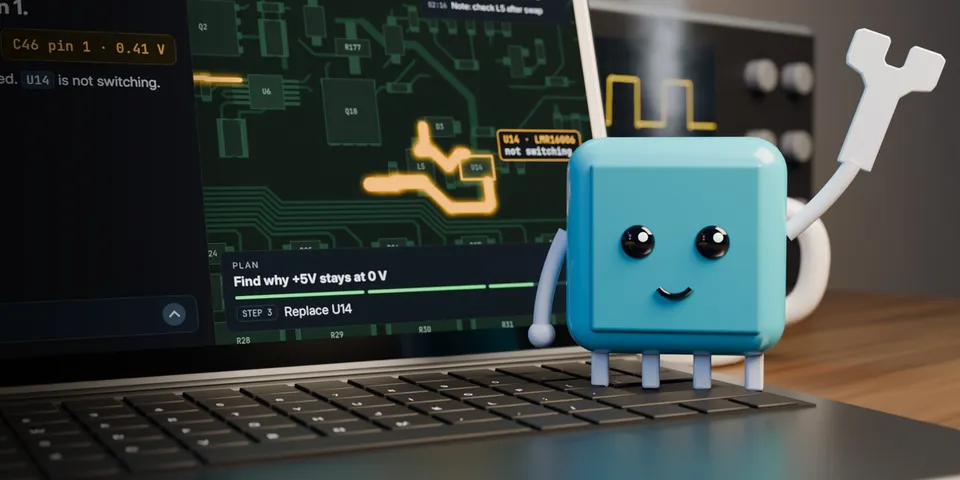
Turn Hermes into a circuit board repair bench: a live boardview beside the chat, opened from 14 boardview formats, test plans with readings pinned on the pads, part cards drawn from the real copper, and your schematic and datasheets read on your computer.
Good to know before installing
needs a WrenchBoard account (RepairMind LTD's hosted service at app.wrenchboard.cloud; free to read boards, Pro for repairs and test plans); boardview files you import, your repairs and readings go to WrenchBoard through Hermes' MCP client; the board view is a page served by WrenchBoard, in a sandboxed frame, that can send chat messages as you and record readings/steps on your WrenchBoard repair without a model turn; pressing Connect (pane, `hermes wrenchboard connect` or `/wb connect`) adds the `wrenchboard` MCP server and its `mcp_allowlist` grant to config.yaml; adds ~5,300 characters of system-prompt sections in Desktop/Webapp; schematics, documents and camera pictures stay on your computer.
From its catalog listing.
How to install
- Install it. Hermes asks for any API keys it needs, then asks whether to turn it on.
hermes plugins install wrenchboard - Said no? Turn it on later:
hermes plugins enable wrenchboard - Restart Hermes so it loads the plugin.
Some plugins also need a sign-in or settings: see Full setup & settings. Memory plugins ask whether to become your memory provider instead. Steps follow the official plugins guide (opens in a new tab).
- Category
- Coding & developer tools
- Maintained by
- Junkz3 (Community)
- Needs
- No API keys declared
- Adds tools
wb_schematic_findwb_schematic_viewwb_capturewb_doc_findwb_doc_viewwb_repairs_page- Adds hooks
post_tool_callpre_llm_calltransform_llm_outputpre_transcription- Needs Hermes
- 0.23 or newer
- Version
- 0.1.0
- In the catalog
- 2026-11-12
Known issues (from its catalog listing)
- Needs a WrenchBoard account: free, created in the browser when you press Connect, and it comes with an open-hardware example board.
- The pane ships disabled, like every Desktop half: switch it on once under Capabilities, Plugins.
- Repairs and test plans need a WrenchBoard Pro account. On the example board, a free account also reads the analysed schematic and the known faults.
Using the Hermes desktop app? See where plugins live

Full setup & settings ↗Source code ↗
More in coding & developer tools
All coding & developer tools plugins
New Hermes Agent updates every day on X. Follow @HermesWatcher