
Weft — edit-time coordination
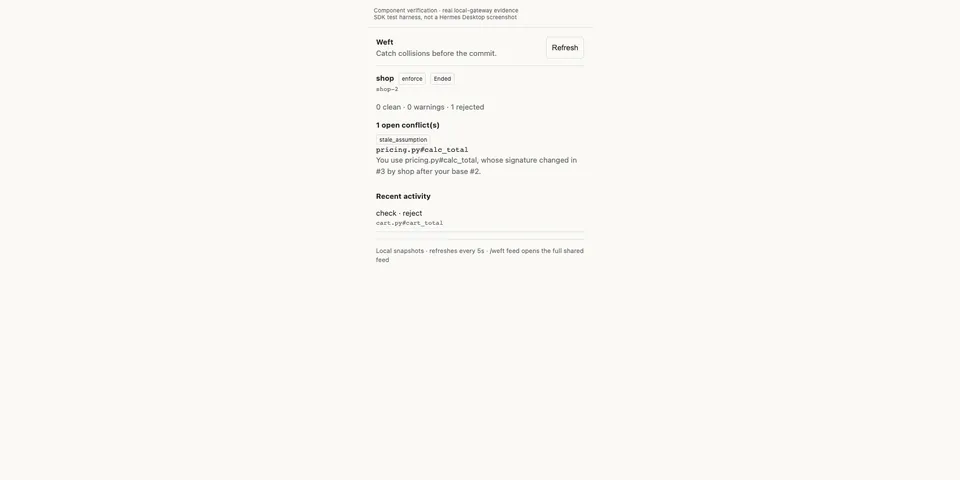
From its catalog listing
Catch conflicts between coding agents while they edit, before Git merge time.
Good to know before installing
In a checkout linked with `/weft setup` (a `.weft/space.json` plus the saved agent token), every file edit the agent makes is sent to the Weft gateway that checkout names: file paths, symbol keys, full diffs, agent and change ids, the Hermes model name and the Kanban task title. The gateway is local (127.0.0.1) by default, Weft's hosted `https://weft-hosted.elier.ai` when chosen or named by a checkout, or a gateway you add with `/weft trust`. Gateway diagnostics are appended to tool results, and `mode: enforce` blocks conflicting edits, `git commit` and task completion. `/weft setup` and `/weft feed` run `npx -y @celador/weft@0.3.0`, which installs `wrangler@4` from npm, starts a background local gateway that outlives the chat, creates a paired Git worktree and installs Git hooks in the repository. Activity snapshots and logs are kept in `~/.cache/weft-hermes`, shared across profiles.
From its catalog listing.
How to install
- Install it. Hermes asks for any API keys it needs, then asks whether to turn it on.
hermes plugins install weft - Said no? Turn it on later:
hermes plugins enable weft - Restart Hermes so it loads the plugin.
Some plugins also need a sign-in or settings: see Full setup & settings. Memory plugins ask whether to become your memory provider instead. Steps follow the official plugins guide (opens in a new tab).
- Category
- Coding & developer tools
- Maintained by
- celador (Community)
- Needs
- No API keys declared
- Works on
- linux, macos
- Needs Hermes
- 0.22.5 or newer
- Version
- 0.4.0
- In the catalog
- 2026-11-10
Using the Hermes desktop app? See where plugins live

Full setup & settings ↗Source code ↗
More in coding & developer tools
All coding & developer tools plugins
New Hermes Agent updates every day on X. Follow @HermesWatcher