
Wave | Bots
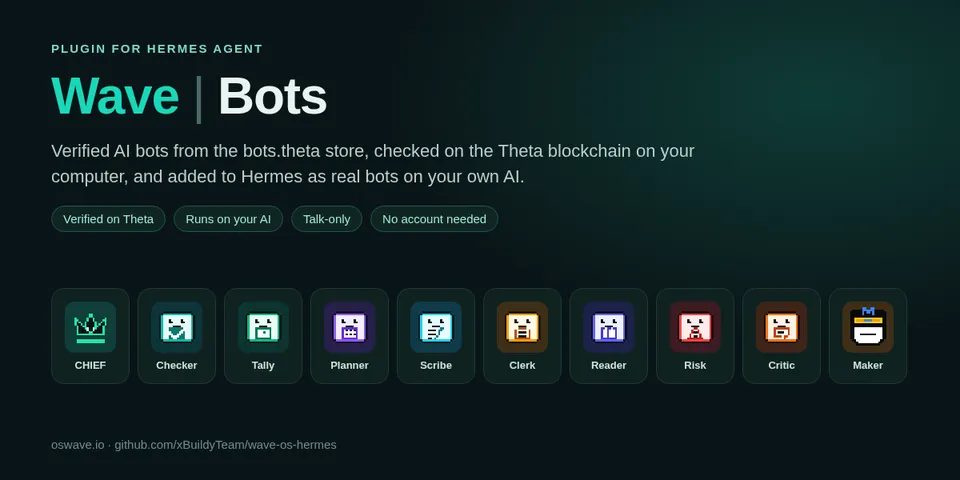
From its catalog listing
Verified AI bots for Hermes, by Wave OS. Browse the official Wave bots from the bots.theta store (Checker, Tally, Planner, Maker and more); each one is checked on the Theta blockchain on your computer (name record, listing, rules, mascot and every knowledge card, fingerprint by fingerprint) before it's marked Verified. Add one and it becomes its own Hermes bot (a wave-<name> profile in your Bots list, with its mascot), answering from its checked cards on your own AI model with code, terminal, file and web tools turned off, re-checked daily. An optional Wave OS bot key lets you ask the real bot on Wave, with Hermes approval for every question.
Good to know before installing
never signs or sends transactions, and needs no account for browsing, checking or adding bots. Network calls go only to Theta's public RPC eth-rpc-api.thetatoken.org (read-only name and card reads) and, only if you set a Wave OS bot key and ask the real bot, app.oswave.io (your question to the bot). The optional Wave OS bot key (limited and revocable, spending limit you pick, default 0 TFUEL) is a Hermes secret: declared as config_schema secret WAVE_OS_TOKEN, entered in Hermes's plugin settings, read with get_secret; the plugin never stores it (Disconnect keeps only the key's SHA-256 fingerprint in $HERMES_HOME/wavebots so it stays off here). Creates and removes only its own wave-* Hermes profiles; reads Hermes's profile and plugin lists locally. A background thread re-checks added bots once a day. Opens app.oswave.io in the browser to get a key. No telemetry, no shell commands, no self-updating. Disclosure — reads Theta's public RPC eth-rpc-api.thetatoken.org (read-only) and, only if you set the optional Wave OS bot key (a Hermes secret, WAVE_OS_TOKEN), sends your questions and a free key check every 10 minutes at most to app.oswave.io, where a paid bot answer can spend TFUEL from your Wave OS account up to the limit you set on the key, each paid ask after Hermes approval and never from cron; creates and removes its own wave-* Hermes profiles (tools off, SOUL.md built from on-chain card text), rewrites an added bot's SOUL.md from a background re-check once a day, keeps only key fingerprints (never the key) in $HERMES_HOME/wavebots for Disconnect, opens app.oswave.io in your browser to get a key; never signs transactions, no telemetry, no shell commands, no self-updating.
From its catalog listing.
How to install
- Install it. Hermes asks for any API keys it needs, then asks whether to turn it on.
hermes plugins install wavebots - Said no? Turn it on later:
hermes plugins enable wavebots - Restart Hermes so it loads the plugin.
Some plugins also need a sign-in or settings: see Full setup & settings. Memory plugins ask whether to become your memory provider instead. Steps follow the official plugins guide (opens in a new tab).
- Category
- Coding & developer tools
- Maintained by
- xBuildyTeam (Community)
- Needs
- No API keys declared
- Adds tools
wave_bots- Adds hooks
pre_tool_call- Needs Hermes
- 0.22.1 or newer
- Version
- 0.3.6
- In the catalog
- 2026-11-12
Using the Hermes desktop app? See where plugins live

Full setup & settings ↗Source code ↗
More in coding & developer tools
All coding & developer tools plugins
New Hermes Agent updates every day on X. Follow @HermesWatcher