
Talaria Bench
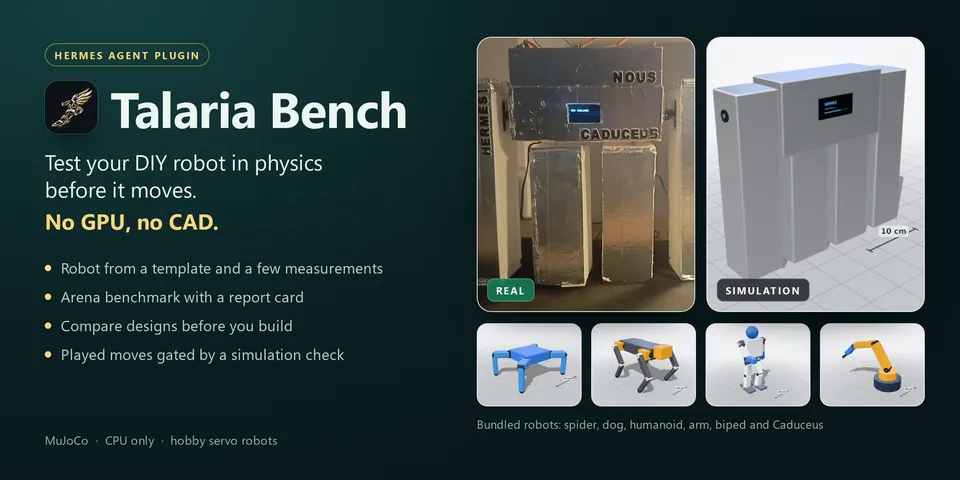
From its catalog listing
A physics test bench for DIY servo robots: build your robot from a template and a few measurements, see it in 3D next to its photo, run a one-click MuJoCo arena (flat, ramps, bars, pushes, slippery floor) across randomized worlds with a report card that says why it fails, compare design variants or watch a changed version side by side in the Arena, and gate robot_play / robot_pose with an exact-motion preflight in simulation before a move may play on the real robot (ESP32 + PCA9685 firmware included, or a virtual robot). CPU only, no GPU, no CAD.
Good to know before installing
the automatic return to home (before a move and on robot_stop) is speed-limited (at least 3 s) but not simulated on its own; runs benchmark and comparison jobs as background Python subprocesses with worker pools (up to N-1 cores each, at most 2 jobs at once); starts local virtual-robot HTTP servers on 127.0.0.1 (random port, no token) on demand, and `hermes talaria sim` listens on 127.0.0.1:8765 unless --host is given; sends plain HTTP only to the robot address you set (bypassing proxies; the robot token travels unencrypted on your LAN); reads a robot photo only from a path you give under your home or Hermes folder; writes robots, photos, moves, approvals, jobs, reports and caches under $HERMES_HOME/plugin-data/talaria-bench (the trace cache is not pruned). The optional robot token is a Hermes secret. No third-party services, shell commands, downloads or telemetry.
From its catalog listing.
How to install
- Install it. Hermes asks for any API keys it needs, then asks whether to turn it on.
hermes plugins install talaria-bench - Said no? Turn it on later:
hermes plugins enable talaria-bench - Restart Hermes so it loads the plugin.
Some plugins also need a sign-in or settings: see Full setup & settings. Memory plugins ask whether to become your memory provider instead. Steps follow the official plugins guide (opens in a new tab).
- Category
- Images, video, music & 3D
- Maintained by
- devorun (Community)
- Needs
- No API keys declared
- Adds tools
robot_listrobot_definerobot_showbench_runbench_statusbench_reportbench_comparemove_checkmove_savemove_listrobot_playrobot_poserobot_stoprobot_status- Adds hooks
pre_tool_call- Works on
- windows, macos, linux
- Needs Hermes
- 0.22.0 or newer
- Version
- 1.0.1
- In the catalog
- 2026-11-12
Using the Hermes desktop app? See where plugins live

Full setup & settings ↗Source code ↗
More in images, video, music & 3d
All images, video, music & 3d plugins
New Hermes Agent updates every day on X. Follow @HermesWatcher