
SO-101 Arm
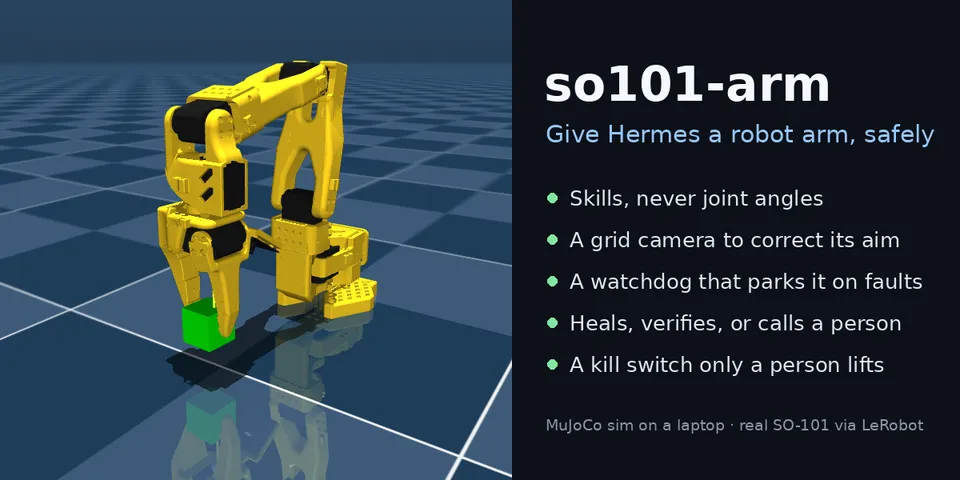
From its catalog listing
Give Hermes a robot arm, safely: an SO-101 (a MuJoCo sim on your laptop, or a real arm through LeRobot) driven by named skills, never joint angles. A top-down camera grid corrects its aim, a missed pick is rehearsed on simulated copies before the retry, a plain-code watchdog parks the arm on faults, a pre_tool_call guard refuses motion until a repair is verified, and only a person can lift a freeze (/arm unfreeze).
Good to know before installing
the tools move a robot arm with no Hermes approval prompt: with the arm host started as `serve --real`, the agent drives a physical SO-101 over USB serial, limited to taught poses and motions, ±40 mm aim corrections and no more than the recorded speed (the default `serve` is a MuJoCo sim). The plugin talks only to a local Unix socket (mode 0600, default `<temp dir>/so101-arm.sock`) served by an arm host you start yourself (`python -m so101_host serve`). Any program running as you, Hermes's terminal tool included, can send that socket any command, unfreeze included, and the motion guard lets calls through when the host is down. Its log hooks send tool names, results and token counts (never conversation text) to that socket for the viewer. The arm host is a separate program from the same repository: it writes run records and camera frames under `~/.so101-arm/`, `fetch-model` runs git to download MuJoCo Menagerie's SO-101 model at a pinned commit, and `serve --video` runs ffmpeg.
From its catalog listing.
How to install
- Install it. Hermes asks for any API keys it needs, then asks whether to turn it on.
hermes plugins install so101-arm - Said no? Turn it on later:
hermes plugins enable so101-arm - Restart Hermes so it loads the plugin.
Some plugins also need a sign-in or settings: see Full setup & settings. Memory plugins ask whether to become your memory provider instead. Steps follow the official plugins guide (opens in a new tab).
- Category
- Everyday life & fun
- Maintained by
- jamesEmerson112 (Community)
- Needs
- No API keys declared
- Adds tools
arm_go_homearm_reacharm_approacharm_griparm_liftarm_releasearm_parkarm_playarm_pick_uparm_lookarm_rehearsearm_statusarm_restart_sensorarm_checkarm_handoff- Adds hooks
pre_tool_callpost_tool_callpost_api_requestpost_compaction- Works on
- linux, macos
- Needs Hermes
- 0.21.6 or newer
- Version
- 0.1.0
- In the catalog
- 2026-11-12
Known issues (from its catalog listing)
- Needs the arm host from the same repository running beside Hermes: python -m so101_host fetch-model, then python -m so101_host serve (add --view to watch the arm).
- The real-arm driver (LeRobot) is tested against a mock robot only; it hasn't been run on hardware yet.
Using the Hermes desktop app? See where plugins live

Full setup & settings ↗Source code ↗
More in everyday life & fun
All everyday life & fun plugins
New Hermes Agent updates every day on X. Follow @HermesWatcher