
Signal Dog
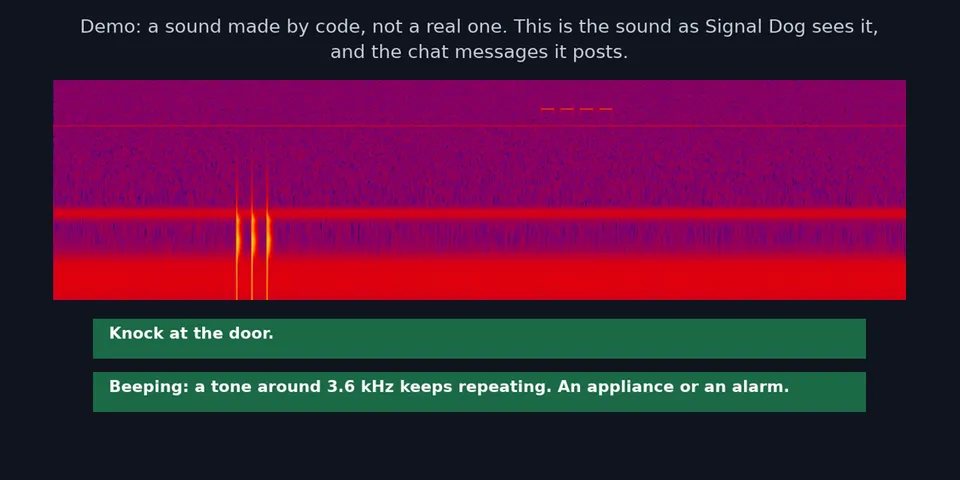
From its catalog listing
Listens through the microphone for household sounds (a door knock, an appliance beeping, a smoke alarm or other steady tone) and sends a chat message through the agent's messaging platform. A signal dog is a dog trained to alert a deaf person to sounds; this does the same job with a microphone, and it is built by a deaf developer. Off until the user turns it on with /signaldog on. Not a certified smoke alarm: it can miss sounds and raise false alerts, with measured rates and limits in the README.
Good to know before installing
microphone: while switched on it listens to the microphone continuously. Background process: it runs one long-running ffmpeg process (two for about 30 seconds every 10 minutes while one replaces the other), stopped when the user turns it off or the plugin unloads; ffmpeg must already be installed and the plugin never downloads anything. Audio from the microphone is never kept: it is analysed in memory and dropped, with no option to keep it. /signaldog demo writes one recording made by code (no real sound) to a private temporary folder and deletes it when the demo ends. Stored locally: a size-limited numbers log in $HERMES_HOME/signal-dog/events.log (times, levels, what was detected, plus an optional note of up to 80 characters the user types after /signaldog wrong or right). The read-only tool signal_dog_recent_alerts returns alert times, kinds, pitches, the user's right and wrong marks and the listener state to the agent, so it reaches the user's model provider; it does not check who is asking, so do not use the plugin on an agent that strangers can message. Network: the plugin makes no network calls and has no telemetry; alerts are delivered by the agent through the messaging app the user already set up. No credentials are read or stored. The pre_llm_call hook only notices which chat session is live and reads no message content. While a beep keeps sounding, it edits its own first alert ("still beeping", then "no longer detected") where the messaging app allows edits, and otherwise sends periodic reminder messages (every three minutes by default, for as long as the beep continues); it never edits anyone else's messages.
From its catalog listing.
How to install
- Install it. Hermes asks for any API keys it needs, then asks whether to turn it on.
hermes plugins install signal-dog - Said no? Turn it on later:
hermes plugins enable signal-dog - Restart Hermes so it loads the plugin.
Some plugins also need a sign-in or settings: see Full setup & settings. Memory plugins ask whether to become your memory provider instead. Steps follow the official plugins guide (opens in a new tab).
- Category
- Everyday life & fun
- Maintained by
- scottleimroth (Community)
- Needs
- No API keys declared
- Adds tools
signal_dog_recent_alerts- Adds hooks
pre_llm_call- Works on
- linux, windows
- Needs Hermes
- 0.23.0 or newer
- Version
- 0.1.2
- In the catalog
- 2026-11-10
Using the Hermes desktop app? See where plugins live

Full setup & settings ↗Source code ↗
More in everyday life & fun
All everyday life & fun plugins
New Hermes Agent updates every day on X. Follow @HermesWatcher