
Siemless
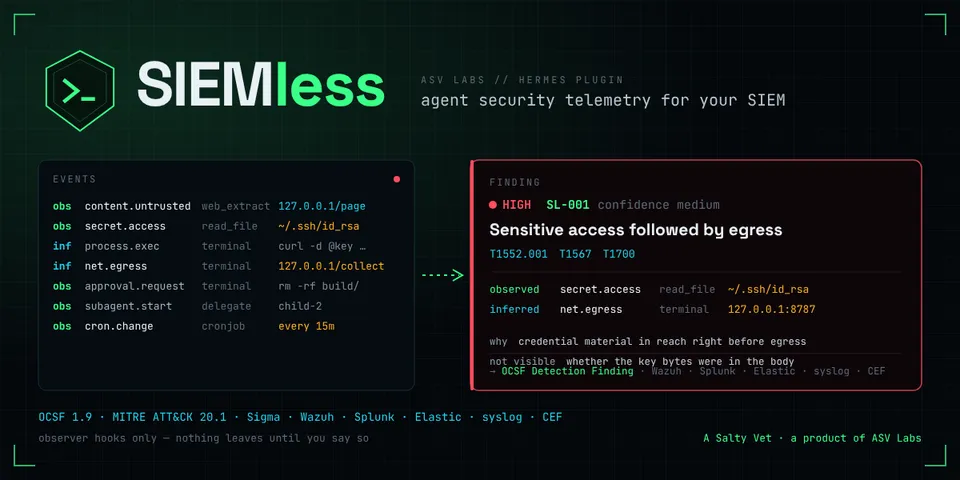
From its catalog listing
Agent security telemetry for SIEMs. Every tool call, file read, shell command, outbound request, approval, subagent, scheduled job and configuration change a Hermes agent makes becomes an OCSF 1.9 security event; 14 deterministic rules correlate them into findings (secret access then egress, prompt-injection chains, credential discovery, persistence, governance tampering, …) with MITRE ATT&CK 20.1 mapping and evidence labelled observed or inferred. Exports as JSON Lines (Wazuh), RFC 5424 syslog, CEF, Splunk HEC and Elastic ECS, with a pack and 22 Sigma rules. Desktop page with evidence chains and exporter health; /siemless and hermes siemless incl. replay of recorded sessions.
Good to know before installing
observer hooks only (no pre_tool_call, no middleware, no tools; nothing is blocked or rewritten). Reads only the hook payloads Hermes passes, bounded and redacted before storage; prompt text, model output, tool results, file bodies and message text are never stored (hashes and lengths only; record_prompts adds a 200-char redacted preview). Writes its own SQLite database, JSONL files and spool under plugin-data/siemless/ (0600). Network: none by default; with remote_export true and a destination set, sends the configured event scope to that syslog (UDP/TCP/TLS), Splunk HEC, Elastic or JSON receiver endpoint over verified TLS (plain HTTP to 127.0.0.1 only behind a lab switch); tokens via agent.secret_scope.get_secret, never read from .env. Three daemon threads per process (pipeline, dispatch, settings watch). The dashboard half reads plugin settings through hermes_cli.config.load_config. `/siemless` works in any chat that can run plugin commands: it shows stored findings and events (tool names, targets, hosts, session ids across sessions), `ack` marks findings reviewed, and `replay <file>` reads a JSONL file the user names and runs it through the detections, labelled as a replay. No shell commands, no telemetry to the author, no self-updater. The install scanner reports caution because the detector lists the patterns it looks for (ssh paths, webhook hosts, curl|sh, cron, env dumps) in siemless_core/sensitive.py and in the tests.
From its catalog listing.
How to install
- Install it. Hermes asks for any API keys it needs, then asks whether to turn it on.
hermes plugins install siemless - Said no? Turn it on later:
hermes plugins enable siemless - Restart Hermes so it loads the plugin.
Some plugins also need a sign-in or settings: see Full setup & settings. Memory plugins ask whether to become your memory provider instead. Steps follow the official plugins guide (opens in a new tab).
- Category
- Security & privacy
- Maintained by
- ASV-Labs (Community)
- Needs
- No API keys declared
- Adds hooks
on_session_starton_session_endon_session_reseton_session_deletepre_llm_callpost_llm_callpost_api_requestapi_request_errorpost_auxiliary_callpost_tool_callpre_approval_requestpost_approval_responseon_human_input_requeston_human_input_resolvedsubagent_startsubagent_stoppre_commandon_skill_lifecyclekanban_task_claimedkanban_task_completedkanban_task_blockedon_kanban_worker_spawnedon_kanban_worker_exited- Needs Hermes
- 0.22.3 or newer
- Version
- 0.1.2
- In the catalog
- 2026-11-10
Using the Hermes desktop app? See where plugins live

Full setup & settings ↗Source code ↗
More in security & privacy
All security & privacy plugins
New Hermes Agent updates every day on X. Follow @HermesWatcher