
PostSider
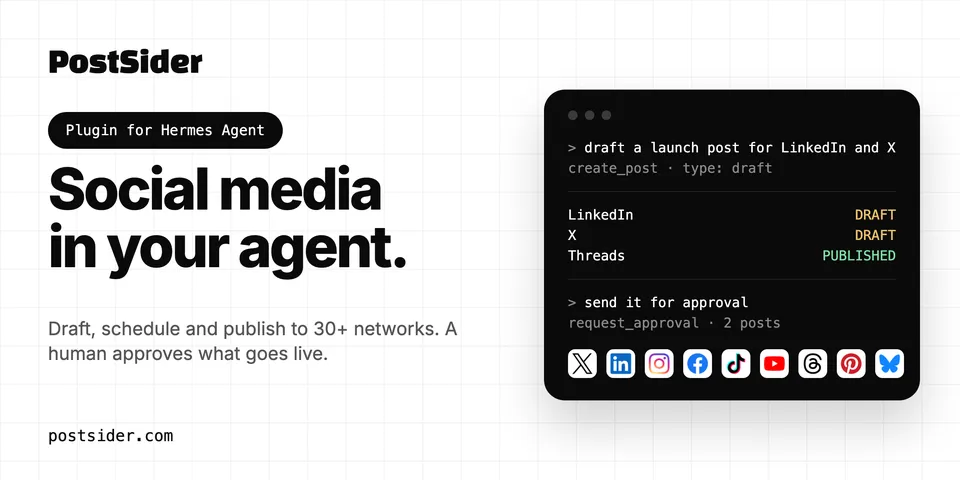
From its catalog listing
Plan, draft, schedule, publish and review social media posts across 30+ networks (X, LinkedIn, Instagram, Facebook, TikTok, YouTube, Threads, Pinterest, Bluesky and more) through PostSider's hosted MCP server (Streamable HTTP at https://mcp.postsider.com/mcp, OAuth sign-in, no keys in config): content calendar, channel rules and posting queues, media uploads, drafts and approval requests, failed-post triage, analytics, and an AI post checker and caption rewrite. Bundles the postsider workflow skill (draft first, read back every write, confirm before anything public or permanent). Agent Plugins v1 package (plugin.json + mcp.json + skills/), configuration only.
Good to know before installing
every tool call goes to PostSider's hosted server (mcp.postsider.com) and acts on the user's own PostSider workspace; the tool set is served by that server at runtime and is not covered by the pinned sha. Write tools can create, edit, schedule and delete posts, and posts created with type now or schedule are published to the user's connected public social accounts; other tools upload and delete media, change channel settings and posting slots, connect or disconnect channels, and pause publishing for the whole organization. Actions count toward the user's PostSider plan, and the AI checker and caption rewrite use its monthly AI allowance. The package marks the server untrusted, so Hermes asks before every tool the server does not mark read-only and refuses them in unattended runs. Sign-in runs the pinned mcp-remote@0.15.2 through npx (Node.js 20.18.1+ and npm required), which opens a browser and a local callback port on first use and stores OAuth tokens under ~/.mcp-auth; without a stored token, an unattended run fails at Hermes's connect timeout instead of hanging. Users who need longer to sign in, or a headless setup, can replace the server with hermes mcp add postsider --url https://mcp.postsider.com/mcp --auth oauth (or a token header) and keep the skill.
From its catalog listing.
How to install
- Install it. Hermes asks for any API keys it needs, then asks whether to turn it on.
hermes plugins install postsider - Said no? Turn it on later:
hermes plugins enable postsider - Restart Hermes so it loads the plugin.
Some plugins also need a sign-in or settings: see Full setup & settings. Memory plugins ask whether to become your memory provider instead. Steps follow the official plugins guide (opens in a new tab).
- Category
- Work & business
- Maintained by
- PostSider (Community)
- Needs
- No API keys declared
- Needs Hermes
- 0.21.6 or newer
- Version
- 1.0.0
- In the catalog
- 2026-11-07
Using the Hermes desktop app? See where plugins live

Full setup & settings ↗Source code ↗
More in work & business
New Hermes Agent updates every day on X. Follow @HermesWatcher