
PDF Shrink
From its catalog listing
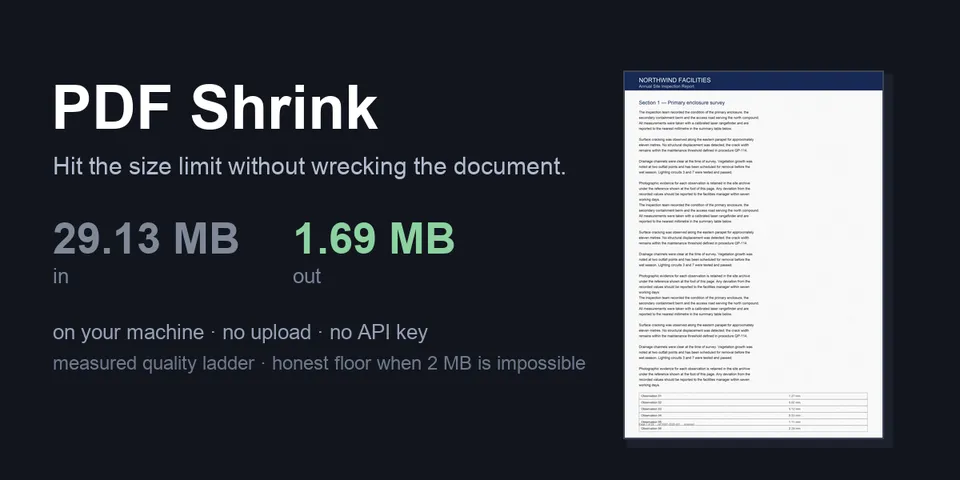
Shrink a PDF to a size limit (2 MB, 500 KB, whatever the upload form says) with everything running locally — no upload, no API key, no third-party service. Two tools and a bundled skill. pdf_inspect reports what makes a file heavy: image share of the bytes, the resolution each image is actually displayed at, fonts, embedded attachments and duplicates, with a verdict (images dominate / images not reclaimable / vector-heavy / already small) so a shrink that cannot work is caught before it runs. pdf_shrink downsamples images it can re-encode safely to the resolution they are displayed at, recovered by replaying each page's content stream (q/Q/cm/Do, including nested Form XObjects), then walks a measured ladder of DPI/JPEG-quality rungs from the mildest down and keeps the first that fits — each rung rebuilt from the pristine original, so the copy is one generation of compression rather than six. Text, fonts and vector art are never rasterised; images that cannot be re-encoded safely (JBIG2, CCITT, 1-bit or non-8-bit samples, soft/stencil masks, /Mask, /Matte or /Decode arrays, CMYK and other print colour spaces, tiny logos) are left byte-for-byte alone. When the limit cannot be reached without making the document unreadable it stops at the safe floor, reports the smallest safe size, saves that copy when it is meaningfully smaller, and names the levers that can actually help (a reachable higher target, or aggressive=true when it can do better) instead of handing back mush. Every copy is re-opened and verified (page count, blank pages, structural syntax) before delivery; a copy that fails is reported as failed, not as a success. The source is re-hashed before and after every completed run, and a change is reported rather than claimed untouched. A before/after render of page 1 comes back when PDFium is available and a verified copy was written. Writes only new files; an existing output path is refused, never overwritten. Ladder rungs are built in a private system-temp directory, never beside the PDF; a read-only source folder still works, and the default output falls back to the current directory when the source folder cannot be written. An explicit output_path must end in .pdf, and a location that Hermes's own write denylist refuses is rejected before anything is written. The only destructive option is drop_attachments=true, off by default.
How to install
- Install it. Hermes asks for any API keys it needs, then asks whether to turn it on.
hermes plugins install pdf-shrink - Said no? Turn it on later:
hermes plugins enable pdf-shrink - Restart Hermes so it loads the plugin.
Some plugins also need a sign-in or settings: see Full setup & settings. Memory plugins ask whether to become your memory provider instead. Steps follow the official plugins guide (opens in a new tab).
- Category
- Coding & developer tools
- Maintained by
- Hazem-Samak (Community)
- Needs
- No API keys declared
- Adds tools
pdf_shrinkpdf_inspect- Works on
- linux, macos, windows
- Needs Hermes
- 0.22.0 or newer
- Version
- 1.0.3
- In the catalog
- 2026-11-10
Known issues (from its catalog listing)
- `hermes plugins validate` warns (catalog rule 9) about the one private core import in `engine.py`: `agent.file_safety.is_write_denied`. It is the confinement check the catalog review asked for, imported lazily and failing closed if the module is present but broken; there is no public equivalent, no core function is patched, and it exists in every Hermes >= 0.22.0.
Using the Hermes desktop app? See where plugins live

Full setup & settings ↗Source code ↗
More in coding & developer tools
All coding & developer tools plugins
New Hermes Agent updates every day on X. Follow @HermesWatcher