
Passkey Gate
From its catalog listing
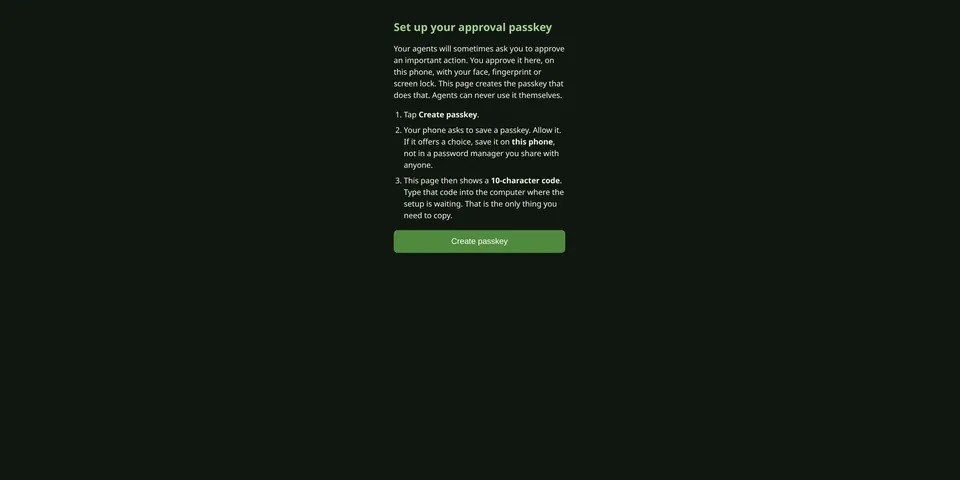
Approve your agents' risky actions with your phone's passkey, even when you're not at the agent's keyboard. An agent asks for approval of an exact action (and optionally the exact command); you get a link in any chat, read it on your phone and sign with Face ID, a fingerprint or your screen lock; the agent then verifies your signature locally against your pinned key before acting. A relayed 'the human said yes' proves nothing; only your signature counts. Optional enforcement blocks matching tool calls until you approve them, and each approval runs once. Includes a guided `setup` wizard, a background service, a hash-chained audit log, and approvals between agents owned by different people. It is an honest approval record, and becomes a hard boundary only when agents can't modify the gate (see the README's Security model). Lanes choose which conversations need a passkey: you at the keyboard, your own chat accounts, other people, bots or other agents.
Good to know before installing
runs a small web server on 127.0.0.1 that your phone reaches over HTTPS (by default published to your own tailnet with `tailscale serve`); can install a background service (systemd user unit or LaunchAgent) that runs as you; runs `tailscale`, `systemctl --user`/`launchctl` and a short Python process to time new patterns, never with elevated privileges; contacts only its own address and any peer gates you allowlist, follows no redirects, no telemetry; stores passkey public keys, requests, the pinned key, an audit log and a remote-minting token in its plugin data folder (no private keys); its hooks note each turn's platform, sender id and bot flag in memory only; with enforcement on, any failure blocks the call; only your pinned passkey can approve, and anyone with an approval link can read and deny that request; patterns are a best-effort list, not a sandbox.
From its catalog listing.
How to install
- Install it. Hermes asks for any API keys it needs, then asks whether to turn it on.
hermes plugins install passkey-gate - Said no? Turn it on later:
hermes plugins enable passkey-gate - Restart Hermes so it loads the plugin.
Some plugins also need a sign-in or settings: see Full setup & settings. Memory plugins ask whether to become your memory provider instead. Steps follow the official plugins guide (opens in a new tab).
- Category
- Security & privacy
- Maintained by
- codepilots (Community)
- Needs
- No API keys declared
- Adds tools
gate_challengegate_verifygate_status- Adds hooks
pre_tool_callpre_llm_callpost_gateway_admission- Works on
- linux, macos
- Needs Hermes
- 0.23.0 or newer
- Version
- 0.8.1
- In the catalog
- 2026-11-10
Using the Hermes desktop app? See where plugins live

Full setup & settings ↗Source code ↗
More in security & privacy
All security & privacy plugins
New Hermes Agent updates every day on X. Follow @HermesWatcher