
Nightshift
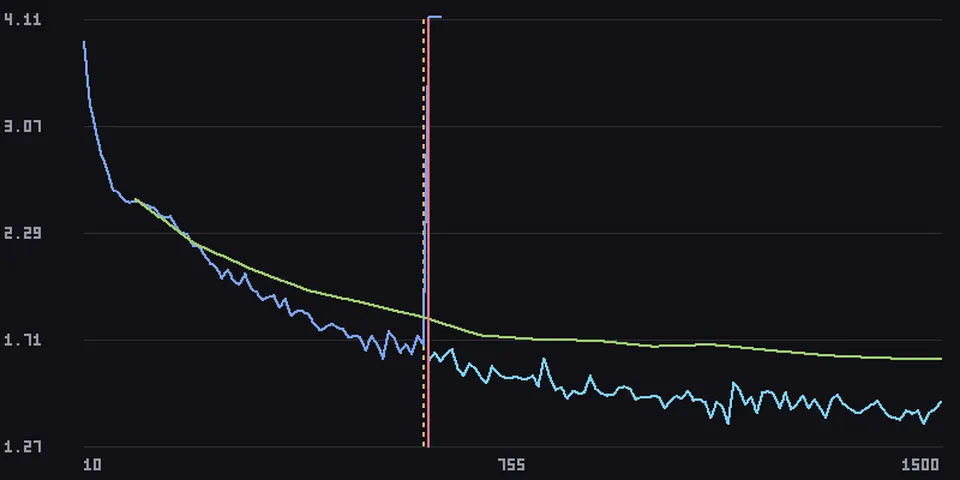
From its catalog listing
Hermes takes the night shift on your ML training runs: Nightshift watches a run's metrics (stdout, JSONL, CSV or TensorBoard), catches NaN, loss spikes, divergence, out-of-memory crashes and stalls, recovers the run within a playbook you approved (roll back to the last healthy checkpoint with a lower learning rate, or restart with half the batch), and pushes the chart to your phone. Desktop pane, dashboard tab, /nightshift, hermes nightshift and a morning-report blueprint. Zero runtime dependencies.
Good to know before installing
the agent can only propose a training run; after your explicit approval (/nightshift approve in chat or the Approve button; there is no CLI approve) it launches the approved command as a long-running background process from a background thread that starts with Hermes, with a minimal environment (no Hermes keys unless you name them in env_passthrough, shown on the approval card), and may stop or restart that process group, re-rendering only the approved command with the playbook's parameters (lr, batch size, grad accumulation, checkpoint path) within an intervention budget; it signals only process groups it started (start-time checked, never a run it cannot verify), reads the log, metric and checkpoint paths you or the agent give it, runs nvidia-smi and ps, stores run data in its plugin data folder and alert charts in Hermes's image cache, makes capped LLM calls on your configured model with a redacted log tail on critical incidents, and sends alerts through Hermes's own `hermes send` to your messaging platform; no network calls of its own.
From its catalog listing.
How to install
- Install it. Hermes asks for any API keys it needs, then asks whether to turn it on.
hermes plugins install nightshift - Said no? Turn it on later:
hermes plugins enable nightshift - Restart Hermes so it loads the plugin.
Some plugins also need a sign-in or settings: see Full setup & settings. Memory plugins ask whether to become your memory provider instead. Steps follow the official plugins guide (opens in a new tab).
- Category
- Memory & notes
- Maintained by
- Pavilion-devs (Community)
- Needs
- No API keys declared
- Adds tools
nightshift_launchnightshift_watchnightshift_statusnightshift_runnightshift_reportnightshift_ack- Adds hooks
pre_llm_callon_session_start- Works on
- linux, macos
- Needs Hermes
- 0.23.0 or newer
- Version
- 0.1.1
- In the catalog
- 2026-11-11
Using the Hermes desktop app? See where plugins live

Full setup & settings ↗Source code ↗
More in memory & notes
New Hermes Agent updates every day on X. Follow @HermesWatcher