
Kumi
From its catalog listing
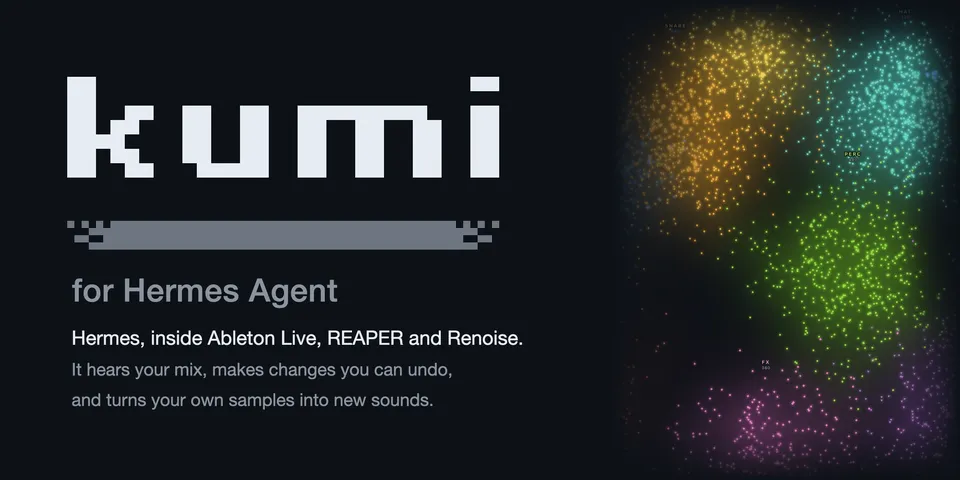
Kumi puts Hermes inside Ableton Live, REAPER and Renoise: it hears your mix, makes changes you can undo, and turns your samples into new sounds.
Good to know before installing
after you approve setup, downloads the Kumi release this pin names for your platform (27–35 MB, SHA-256 checked) from github.com/user1303836/kumi/releases into HERMES_HOME/plugin-data/kumi/ and installs Kumi's part in your DAW (Live's Remote Script with its Kumi Ears device, a REAPER extension or a Renoise tool) at paths you approve; a newer release comes only with a new catalog pin. Runs Kumi's runtime and DAW bridge as local child processes on loopback that stop with the chat or after idling. Reads the open DAW project, the sample folders you list, HERMES_HOME/cache/generated/audio, VST3 metadata in the standard plug-in folders and, after you approve, an existing Kumi's DAW connection files. Writes the Max for Live devices, presets and wavetables you ask for as new files in Live's User Library, copies your saved project beside it before some changes, and, using an existing Kumi's installation, keeps a write lease and listening renders in its folder. Runs a DAW script you ask for with the DAW's access to your computer (asked first, with its code). Plays the project only for a listen or play you ask for. Sends FOCUS notes and measurements to your Hermes model, and with listen_interpretation on, a small band-energy image to the auxiliary model. Mirelo (paid, off by default): only with your key and a credit cap above 0, approved prompts and audio go to api.mirelo.ai and the transfer hosts it names. No telemetry.
From its catalog listing.
How to install
- Install it. Hermes asks for any API keys it needs, then asks whether to turn it on.
hermes plugins install kumi - Said no? Turn it on later:
hermes plugins enable kumi - Restart Hermes so it loads the plugin.
Some plugins also need a sign-in or settings: see Full setup & settings. Memory plugins ask whether to become your memory provider instead. Steps follow the official plugins guide (opens in a new tab).
- Category
- Images, video, music & 3D · Everyday life & fun
- Maintained by
- user1303836 (Community)
- Needs
- No API keys declared
- Adds tools
kumi_statuskumi_setupkumi_connectkumi_observekumi_readkumi_changekumi_undokumi_historykumi_listenkumi_soundskumi_palettekumi_librarykumi_jobkumi_generatekumi_transportkumi_scriptkumi_variationskumi_devicekumi_plugin_knowledgekumi_preset_buildkumi_presetkumi_judgekumi_tunekumi_wavetablekumi_designkumi_soundkumi_auditionkumi_groovekumi_renderkumi_form- Adds hooks
pre_tool_callpost_approval_responsepost_tool_callpre_llm_callpost_compactionon_session_finalizeagent_loop_stoppedsubagent_start- Needs Hermes
- 0.22.7 or newer
- Version
- 1.24.81
- In the catalog
- 2026-11-11
Known issues (from its catalog listing)
- Your DAW runs on the computer that runs Hermes: Ableton Live 12 on macOS or Windows (tested on 12.4; 12.0–12.3 untested, with no offline renders), REAPER 7+ or Renoise 3.5+ (macOS, Windows, Linux).
- In Hermes Desktop, switch Kumi on under Capabilities → Plugins to see its pane and sound map.
- Kumi reads WAV and AIFF; MP3, FLAC and other compressed audio need an ffmpeg you already have, allowed at setup.
- Listening in Live uses Max for Live: setup installs Kumi's Kumi Ears device.
Using the Hermes desktop app? See where plugins live

Full setup & settings ↗Source code ↗
More in images, video, music & 3d
All images, video, music & 3d plugins
New Hermes Agent updates every day on X. Follow @HermesWatcher