
WHOOP Readiness
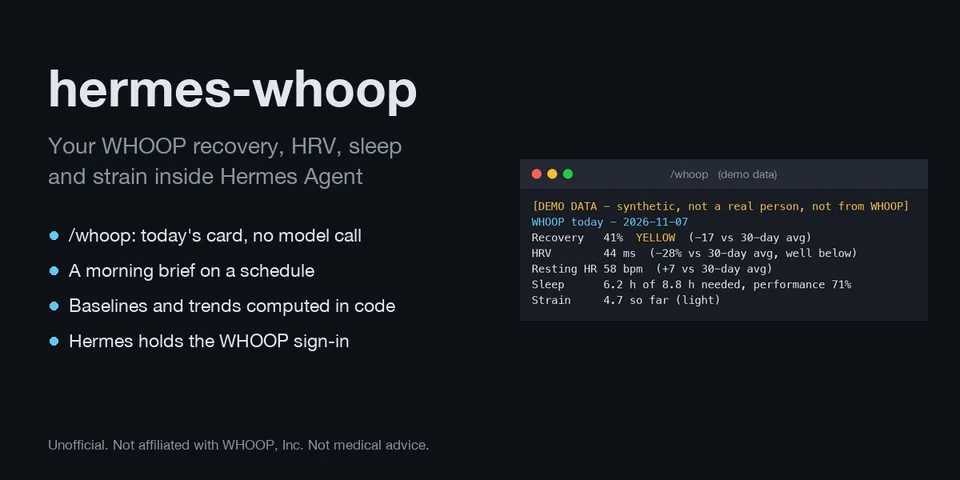
From its catalog listing
Your own WHOOP data in Hermes: today's recovery, HRV, resting heart rate, SpO2, skin temperature, sleep and strain against your personal 30-day baseline, history over any date range and 7-vs-30-day trends, from the official WHOOP API v2 with your own WHOOP developer app. Adds a /whoop command that answers without a model call, two Automation Blueprints (morning readiness brief, weekly review), an opt-in readiness hook and a bundled skill. Includes a clearly labelled synthetic demo mode. Native Python plugin, no dependencies. Unofficial; not affiliated with WHOOP, Inc.
Good to know before installing
network calls go only to api.prod.whoop.com and are made by Hermes through credentialed_provider_request; the WHOOP OAuth client is declared under oauth: and signed in with `hermes auth add hermes-whoop:whoop`, so Hermes stores and refreshes the grant and the plugin never receives a token; WHOOP_CLIENT_ID and WHOOP_CLIENT_SECRET (your own app) are optional_env read only by Hermes. Health data returned by the tools enters the conversation and is sent to your model provider; /whoop in a group chat shows it to that chat. The pre_llm_call hook is off by default; when enabled it appends a one-line readiness summary to matching messages. Creates no files of its own (settings changes are written to the profile's config.yaml by Hermes); WHOOP responses are cached in memory for 5 minutes. No shell commands, no background processes, no telemetry, no self-updates. Not medical advice.
From its catalog listing.
How to install
- Install it. Hermes asks for any API keys it needs, then asks whether to turn it on.
hermes plugins install hermes-whoop - Said no? Turn it on later:
hermes plugins enable hermes-whoop - Restart Hermes so it loads the plugin.
Some plugins also need a sign-in or settings: see Full setup & settings. Memory plugins ask whether to become your memory provider instead. Steps follow the official plugins guide (opens in a new tab).
- Category
- Everyday life & fun
- Maintained by
- solmonger (Community)
- Needs
- No API keys declared
- Adds tools
whoop_todaywhoop_historywhoop_trendswhoop_profilewhoop_status- Adds hooks
pre_llm_call- Needs Hermes
- 0.22.3 or newer
- Version
- 0.1.0
- In the catalog
- 2026-11-11
Known issues (from its catalog listing)
- WHOOP's docs say the redirect URI must match the one registered; Hermes signs in on 127.0.0.1 with an OS-assigned port. Register http://127.0.0.1/callback: WHOOP's OAuth server appears to be Ory Hydra, which accepts any port for a loopback redirect (RFC 8252), but WHOOP does not document this. If WHOOP reports a redirect mismatch, see the README's Limits section.
- As of 2026-11-07 the WHOOP sign-in and token refresh are tested only against Hermes's real OAuth code with WHOOP faked, not against a real WHOOP account. Demo mode needs no account.
Using the Hermes desktop app? See where plugins live

Full setup & settings ↗Source code ↗
More in everyday life & fun
All everyday life & fun plugins
New Hermes Agent updates every day on X. Follow @HermesWatcher