
Hermes Portals
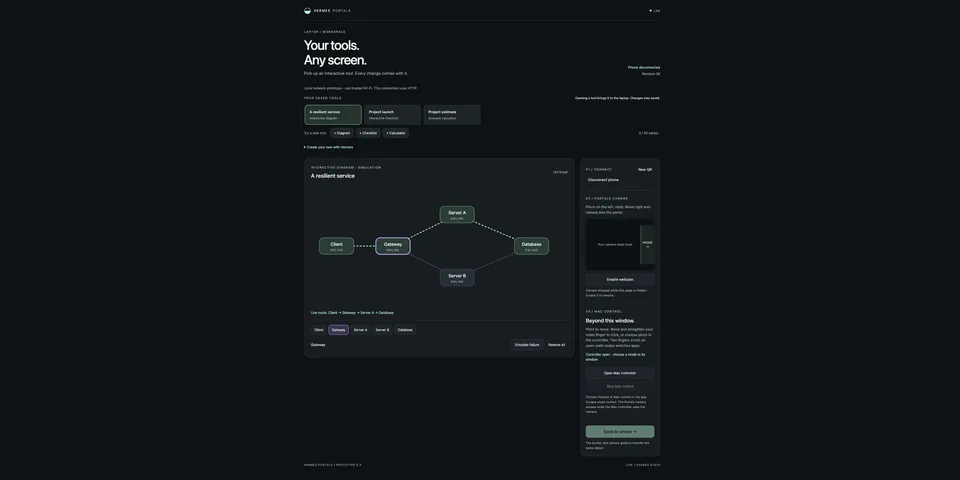
From its catalog listing
Stateful interactive tools with laptop-to-phone camera handoff and optional local Mac gesture control.
Good to know before installing
`/portals start` launches a background local web companion (its own venv, built by a manual `scripts/setup.sh` that downloads hash-pinned Python/npm packages and a checksum-verified MediaPipe model from storage.googleapis.com); with a LAN IP it listens on all interfaces on port 8766 over unencrypted HTTP with token pairing; the optional source-built macOS app uses Camera and Accessibility permissions to move the cursor, click, scroll and switch apps from hand gestures.
From its catalog listing.
How to install
- Install it. Hermes asks for any API keys it needs, then asks whether to turn it on.
hermes plugins install hermes-portals - Said no? Turn it on later:
hermes plugins enable hermes-portals - Restart Hermes so it loads the plugin.
Some plugins also need a sign-in or settings: see Full setup & settings. Memory plugins ask whether to become your memory provider instead. Steps follow the official plugins guide (opens in a new tab).
- Category
- Everyday life & fun
- Maintained by
- ochikov (Community)
- Needs
- No API keys declared
- Adds tools
portals_appportals_diagram- Works on
- macos, linux
- Needs Hermes
- 0.20.5 or newer
- Version
- 0.3.0
- In the catalog
- 2026-11-10
Known issues (from its catalog listing)
- Trusted-LAN prototype: phone traffic uses HTTP, not TLS.
- Explicit scripts/setup.sh step is required after installation.
- Mac input requires macOS 13+, a local Swift build, Camera and Accessibility; no notarized binary is distributed.
Using the Hermes desktop app? See where plugins live

Full setup & settings ↗Source code ↗
More in everyday life & fun
All everyday life & fun plugins
New Hermes Agent updates every day on X. Follow @HermesWatcher