
Hermes Android
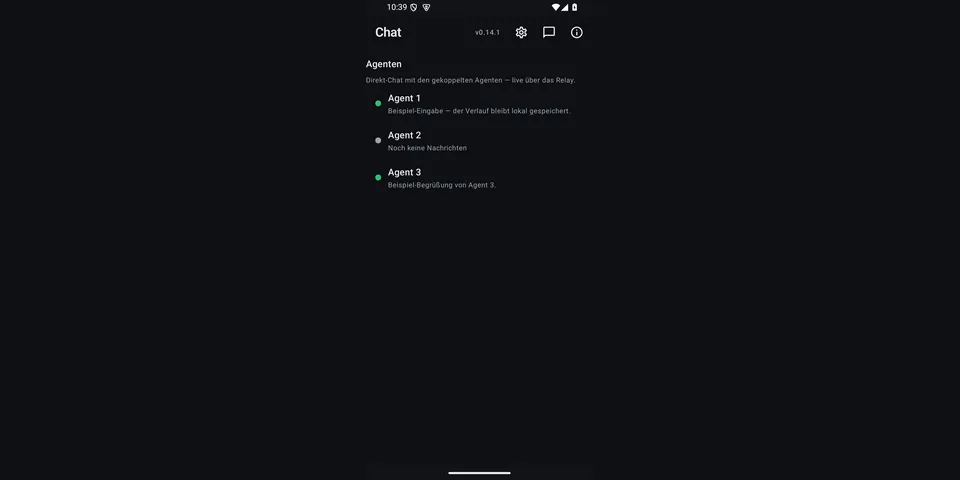
From its catalog listing
Remote Android device control for Hermes Agent: 58 android_* tools (read screen, tap/type/swipe, open apps, camera, screenshots & screen recording, files, notifications, microphone streaming, media, clipboard, SMS/calls, Health Connect) plus a companion Android bridge app (Kotlin/Compose). The phone dials out to a relay you host — works behind NAT, no port forwarding, no VPN. Chat and media are end-to-end encrypted with a Double Ratchet (the relay sees only ciphertext); device commands travel over your own TLS-authenticated relay.
Good to know before installing
drives a paired Android phone (screen reading and input, camera, microphone, files, notifications, clipboard, SMS/calls, Health Connect) through a relay the plugin starts inside Hermes (localhost by default; a non-localhost bind requires TLS or an explicit ANDROID_RELAY_ALLOW_PLAINTEXT=1); SMS, calls, file deletion, intents/broadcasts, APK install and relay setup go through Hermes' approval prompt (cron follows approvals.cron_mode, other unattended runs refuse); chat and media are Double-Ratchet end-to-end encrypted, but device commands are protected only by the relay's TLS when configured.
From its catalog listing.
How to install
- Install it. Hermes asks for any API keys it needs (this one needs
ANDROID_BRIDGE_URL,ANDROID_BRIDGE_TOKEN), then asks whether to turn it on.hermes plugins install hermes-android - Said no? Turn it on later:
hermes plugins enable hermes-android - Restart Hermes so it loads the plugin.
Some plugins also need a sign-in or settings: see Full setup & settings. Memory plugins ask whether to become your memory provider instead. Steps follow the official plugins guide (opens in a new tab).
- Category
- Everyday life & fun
- Maintained by
- TechFlipsi (Community)
- Needs
ANDROID_BRIDGE_URLANDROID_BRIDGE_TOKENAPI keys- Adds tools
android_alarmandroid_apk_installandroid_broadcastandroid_callandroid_clipboard_readandroid_clipboard_writeandroid_current_appandroid_describe_nodeandroid_diff_screenandroid_dragandroid_event_streamandroid_eventsandroid_file_deleteandroid_file_getandroid_file_putandroid_files_countandroid_files_listandroid_files_permissionandroid_files_searchandroid_find_nodesandroid_get_appsandroid_healthandroid_locationandroid_long_pressandroid_macroandroid_mediaandroid_mic_fetchandroid_mic_recordandroid_mic_statusandroid_mic_stopandroid_network_statusandroid_notificationsandroid_notify_replyandroid_open_appandroid_photoandroid_pinchandroid_pingandroid_press_keyandroid_read_screenandroid_read_widgetsandroid_screen_hashandroid_screen_recordandroid_screenshotandroid_scrollandroid_search_contactsandroid_send_intentandroid_send_smsandroid_setupandroid_speakandroid_speak_stopandroid_swipeandroid_tapandroid_tap_textandroid_timerandroid_torchandroid_typeandroid_volumeandroid_wait- Adds hooks
pre_tool_call- Needs Hermes
- 0.23.0 or newer
- In the catalog
- 2026-11-09
- GitHub stars
- 1
Using the Hermes desktop app? See where plugins live

Full setup & settings ↗ Watch our videoSource code ↗
More in everyday life & fun
All everyday life & fun plugins
New Hermes Agent updates every day on X. Follow @HermesWatcher