
Fluent
From its catalog listing
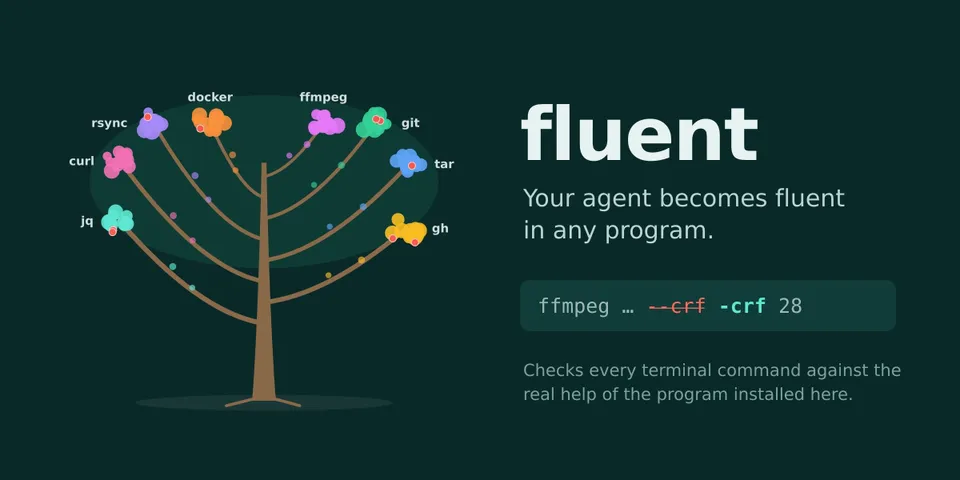
Your agent becomes fluent in any program: checks the agent's terminal commands against the real --help and man pages of the programs you adopt, before they run. A long option the installed version doesn't have is stopped with the closest real one (--crf → -crf, --ammend → --amend), and subcommands it classifies as destructive (gh repo delete, docker image prune, rsync --delete) go to Hermes's own approval prompt. Adds /fluent (adopt, show, forget, undo, mode), an @cli:<program> context reference and a dashboard tab that draws the agent's tree (a branch per program, a fruit per error caught). Tested on 333 real valid commands (0 blocked) and 22 typical mistakes (22 caught), including the tar macOS ships.
Good to know before installing
/fluent adopt <program> runs that program on the host (not the terminal backend) with --version/-version/version/-V and --help/-h/help, plus <command> --help per subcommand only when the help carries a git, Go/cobra, argparse or click marker (git: --list-cmds and <command> -h; ffmpeg: -h full; curl: --help all; git filter-branch is never run): no shell, closed stdin, empty temp cwd, own process group, filtered environment (PATH, HOME, USER, LOGNAME, TMPDIR, XDG dirs; no keys or tokens), 5 s per call, about 25 s per program; a program that ignores those arguments runs normally. It reads man pages and terminal.backend from config.yaml; in block mode (default) pre_tool_call vetoes commands with options the installed program lacks and escalates destructive ones to Hermes's approval prompt with a per-subcommand rule key, never approving anything (unattended runs follow Hermes policy, default deny); posts one-line notices; writes only under its plugin data directory; makes no network, model or telemetry calls.
From its catalog listing.
How to install
- Install it. Hermes asks for any API keys it needs, then asks whether to turn it on.
hermes plugins install fluent - Said no? Turn it on later:
hermes plugins enable fluent - Restart Hermes so it loads the plugin.
Some plugins also need a sign-in or settings: see Full setup & settings. Memory plugins ask whether to become your memory provider instead. Steps follow the official plugins guide (opens in a new tab).
- Category
- Coding & developer tools
- Maintained by
- Bruno-coder21 (Community)
- Needs
- No API keys declared
- Adds hooks
pre_tool_callpost_tool_calltransform_terminal_output- Works on
- linux, macos
- Needs Hermes
- 0.23.0 or newer
- Version
- 1.0.2
- In the catalog
- 2026-11-07, updated 2026-11-10
Known issues (from its catalog listing)
- Only acts on the local terminal backend and on long options of commands it read with high confidence; it trusts the binary on Hermes's own PATH, so a different copy on a session PATH (venv, nvm, direnv) can be judged against the wrong help.
- Risk classes are name and help-summary heuristics that only add prompts: many destructive forms are not asked about (git stash drop, gh api -X DELETE, rsync --delete-excluded), and its copy of Hermes's own patterns can drift, so a command may occasionally be asked twice.
- In cron and other unattended runs, commands fluent flags as destructive are refused under Hermes's default approval policy; use /fluent risk off or approvals.cron_mode for jobs that must delete.
- Live adoption progress and 'fluent caught' notices need the in-process gateway (default plugins.isolation). Tested on Linux; Windows is untested.
Using the Hermes desktop app? See where plugins live

Full setup & settings ↗Source code ↗
More in coding & developer tools
All coding & developer tools plugins
New Hermes Agent updates every day on X. Follow @HermesWatcher