
FieldKit
From its catalog listing
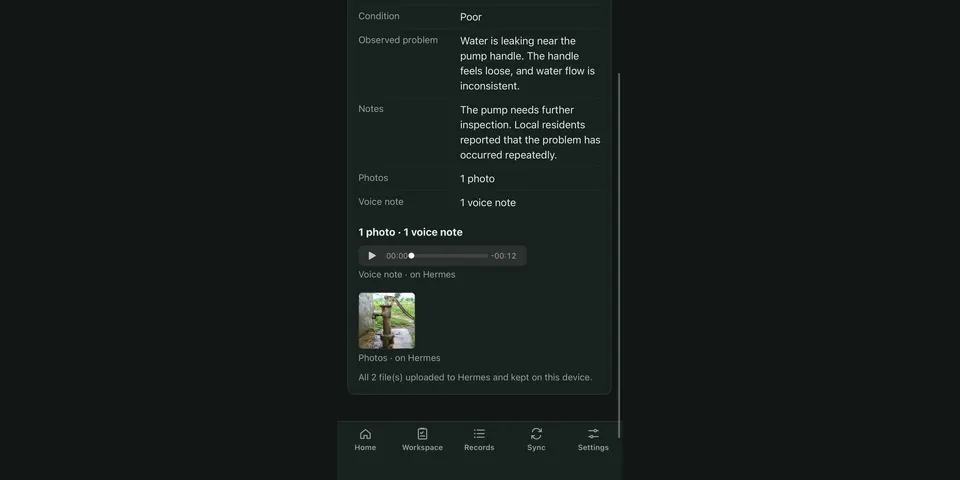
Offline observation forms for Hermes. Describe your work in a Hermes chat and Hermes drafts the forms, then publishes them as a workspace after you approve. Fill them in on a phone with no signal (installable PWA served by the Hermes dashboard: answers, photos, voice notes, GPS and signatures), and sync entries and files back to Hermes when online, with duplicate protection and conflict review. Hermes reads the synced entries and files through 12 tools and analyses them with its own tools when asked. FieldKit never calls a model.
Good to know before installing
the plugin backend makes no third-party calls; the phone app downloads optional translation and OCR packs from huggingface.co and cdn.jsdelivr.net only when the user installs one.
From its catalog listing.
How to install
- Install it. Hermes asks for any API keys it needs, then asks whether to turn it on.
hermes plugins install fieldkit - Said no? Turn it on later:
hermes plugins enable fieldkit - Restart Hermes so it loads the plugin.
Some plugins also need a sign-in or settings: see Full setup & settings. Memory plugins ask whether to become your memory provider instead. Steps follow the official plugins guide (opens in a new tab).
- Category
- Coding & developer tools
- Maintained by
- Snehal707 (Community)
- Needs
- No API keys declared
- Adds tools
fieldkit_list_recordsfieldkit_get_recordfieldkit_get_attachmentfieldkit_get_sync_statusfieldkit_resolve_conflictfieldkit_get_app_linkfieldkit_workspace_formatfieldkit_draft_workspacefieldkit_publish_workspacefieldkit_undo_workspace_updatefieldkit_get_workspacefieldkit_list_workspaces- Needs Hermes
- 0.23.0 or newer
- Version
- 0.3.2
- In the catalog
- 2026-11-12
Using the Hermes desktop app? See where plugins live

Full setup & settings ↗Source code ↗
More in coding & developer tools
All coding & developer tools plugins
New Hermes Agent updates every day on X. Follow @HermesWatcher