
Diké
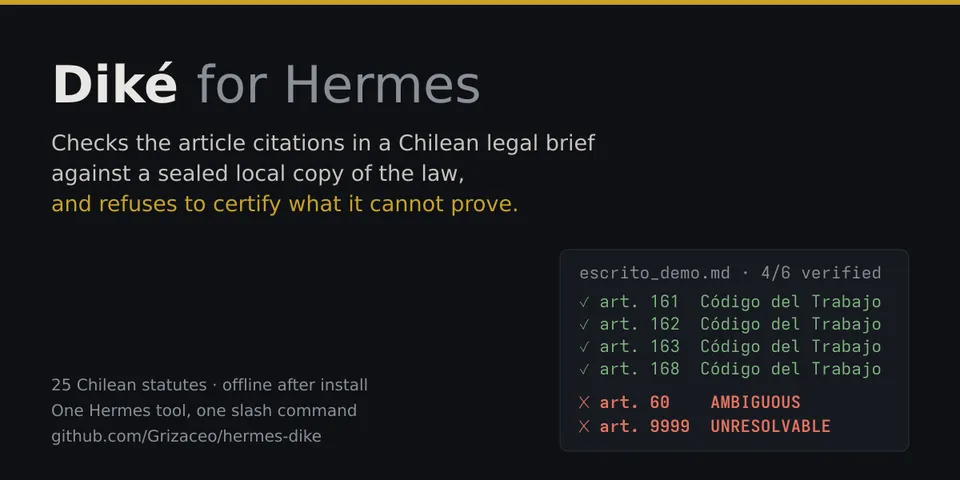
From its catalog listing
Diké: checks the article citations of Chilean law in a legal brief against a sealed, hash-identified local copy of 25 statutes (Ley Chile), and refuses to certify what it cannot prove. Each citation comes back verified, with its identifier, source URL and text SHA-256, or unverified with the engine's reason (AMBIGUOUS, UNRESOLVABLE). Three tools (dike_verificar_citas on text or a .md/.txt/.docx path; dike_leer_articulo and dike_buscar_corpus, read-only on the corpus), two commands (/dike-verificar, /dike-estado) and two skills. Text in English, Spanish optional; statute text and engine codes stay in Spanish. Not legal advice: it never certifies that a provision supports an argument, nor that a dated copy is today's text. The opt-in Desktop page adds a Case Writer (a brief editor where only the engine can mark a citation verified, a pseudonymization step you control before any text leaves, and a chat about the brief in your own Hermes gateway), a read-only 3D map of the sealed corpus and a versioned case board; a Dashboard tab and a backend at /api/plugins/dike serve them.
Good to know before installing
the vendored Diké engine runs in a child process (same interpreter, no shell, minimal environment without agent credentials), inside bubblewrap without network when it is available and in a declared degraded mode when it is not. One such sandboxed engine process stays up per session so the corpus is verified once (about 170 MB; it exits after 10 idle minutes or with Hermes). Two hooks (pre_llm_call, pre_tool_call) act only on Case Writer chat sessions, which carry a <dike-escritor v=\"1\"> envelope: they add fixed instructions and block every tool except skills, tool discovery and this plugin's three tools with text arguments; other sessions are untouched. Model calls happen only when you use that chat, case-board suggestions or opt-in prediction, through your own gateway, after pseudonymization unless you switch it off and confirm sending the real data. Reads only the text passed or the named regular .md/.txt/.docx file (no symlinks). Writes only under HERMES_HOME/plugin-data/dike: the corpus (about 300 MB, unpacked once after a SHA-256 check, checked by file stat on every call and fully re-hashed once per process), temporary files, engine caches, Case Writer briefs, pseudonym maps (they hold the real values; files 0600) and send and hook logs without content. The Desktop page adds one scoped <style> element and removes it on unload. No network of its own after dependency install, no telemetry, never signs.
From its catalog listing.
How to install
- Install it. Hermes asks for any API keys it needs, then asks whether to turn it on.
hermes plugins install dike - Said no? Turn it on later:
hermes plugins enable dike - Restart Hermes so it loads the plugin.
Some plugins also need a sign-in or settings: see Full setup & settings. Memory plugins ask whether to become your memory provider instead. Steps follow the official plugins guide (opens in a new tab).
- Category
- Coding & developer tools
- Maintained by
- Grizaceo (Community)
- Needs
- No API keys declared
- Adds tools
dike_verificar_citasdike_leer_articulodike_buscar_corpus- Adds hooks
pre_llm_callpre_tool_call- Works on
- linux
- Needs Hermes
- 0.23.0 or newer
- Version
- 0.10.0
- In the catalog
- 2026-11-07, updated 2026-11-11
Using the Hermes desktop app? See where plugins live

Full setup & settings ↗Source code ↗
More in coding & developer tools
All coding & developer tools plugins
New Hermes Agent updates every day on X. Follow @HermesWatcher